The first article in the world written seriously in Japanese.
It is intended as a supplementary position to Mr. Mida's "How to run apps that won't start due to powerful Root detection". For those who already have some understanding.
Background
Since the incident where MEETS_STRONG_INTEGRITY was bypassed by using props from a bugged device, the battle between Play Integrity Fix (hereinafter PIFix) and Google (hereinafter G-Company) has become intense.
From last month to this month, the fingerprints used by the module were invalidated many times, leaving only MEETS_BASIC_INTEGRITY passing. PIFix was forced to update rapidly, and it was even temporarily closed-sourced to counter G-Company.
This cat-and-mouse game is similar to the battle between YouTube and uBlock Origin, but the decisive difference is that there is a limit to the fingerprints that PIFix can use. In short, all fingerprints that pass MEETS_DEVICE_INTEGRITY will eventually be invalidated, leading to a G-Company victory—a truly miserable future (currently in progress).
However, as a move to stop the cat-and-mouse game, PIFix author chiteroman released v13.1. Based on this, and using the further updated v14.4 as a base, this article will describe how to pass DEVICE_INTEGRITY in a way that is less likely to be banned.
However, there are reports that fingerprints once banned have become usable again, and it seems that G-Company is playing with us or rather, responding flexibly.
What has changed since v13.1?
In a word, the device fingerprint, which was previously fixed, can now be changed by the user.
Well, the logic is that if everyone uses different fingerprints, G-Company will stop actively banning them. By rewriting the fingerprint to whatever the reader likes, you should be able to make DEVICE_INTEGRITY harder to ban.
By the way, since I started using this method, I have never had DEVICE_INTEGRITY fail (except when testing props for experiments) (smug face).
The long-awaited method is listed below.
Rewriting pif.json
First, as a prerequisite, Zygisk must be enabled to use PIFix. If you are using Magisk, refer to this and simply enabling it is enough. For KernelSU or APatch, the dedicated module "Zygisk Next" is required.
Due to the LSPosed incident that occurred in early 2024, the original Next was discontinued, so it is recommended to use a fork that continues support.
Although it says it is for APatch, it also supports KSU and Magisk, and it works without any issues.
After that, install Play Integrity Fix as usual.
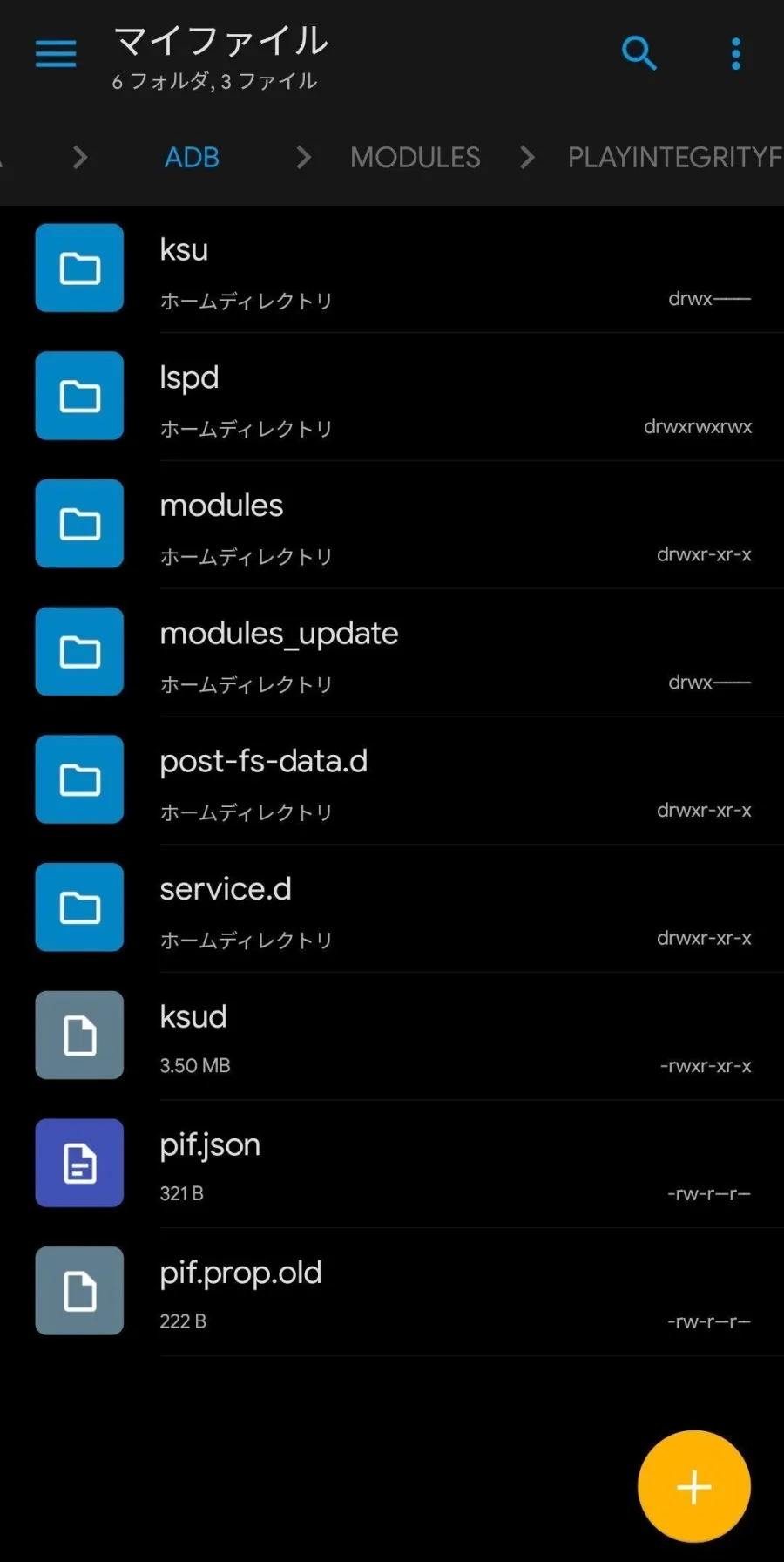
This is the main part. Unzip the downloaded PIFix zip file with any file manager and open the pif.json inside. I recommend Solid Explorer, which also comes with a standard text editor, but of course, if you have another way to open it, you can use Material Files or others.
By the way, you can also use a manager that can access the root directory (both of the ones mentioned above support this) to go into /data/adb/pif.json and modify it. Use this when the fingerprint you are about to enter stops working. Be aware that this file may not be overwritten even if you update or uninstall.
Now, the structure of pif.json is as follows... however, the fingerprint shown in this example has, as usual, BeingEvil been rendered unusable by Google, so we will change it.
Note that the default pif.json has completely blank values.
    "PRODUCT" : "bullhead",
    "DEVICE" : "bullhead",
    "MANUFACTURER" : "LGE",
    "BRAND" : "google",
    "MODEL" : "Nexus 5X",
    "FINGERPRINT" : "google/bullhead/bullhead:8.0.0/OPR6.170623.013/4283548:user/release-keys",
    "SECURITY_PATCH" : "2017-08-05",
    "FIRST_API_LEVEL" : "23"
By extracting these from build.prop and rewriting them, you can make Play Integrity verify your device as any arbitrary device. A key point is that the SECURITY_PATCH build date should be 2018 or earlier. It is said that this makes it highly likely that DEVICE will pass. Although there are exceptions that won't pass even if they are from 2018 or earlier, and conversely, reports of cases that passed with 2019 or later dates exist as well.
    "PRODUCT" : "ro.product.name",
    "DEVICE" : "ro.product.device",
    "MANUFACTURER" : "ro.product.manufacturer",
    "BRAND" : "ro.product.brand",
    "MODEL" : "ro.product.model",
    "FINGERPRINT" : "ro.build.fingerprint",
    "SECURITY_PATCH" : "ro.build.version.security.patch",
    "FIRST_API_LEVEL" : "ro.product.first_api_level"
By the way, ro.product.name might sometimes be named something like ro.product.system.name (such as on OnePlus devices).
Also, a prop with FIRST_API_LEVEL 24 (Android 7 Nougat) is recommended.
However, according to reports from chiteroman on Telegram, it seems there are quite a few A11–A12 devices that will pass if you rewrite the API to null (API=23, Android 6 Marshmallow). Keeping this in mind, it might be interesting to look for props that pass while changing things other than the API.
For those wondering where to get build.props from! If you search the depths of the internet, they are scattered around quite a bit, so please do your best to find one that is still alive... Personally, I haphazardly think that using a fingerprint from a device by the same manufacturer is best.
There are several tools that help with creating pif.json, such as PixelFlasher and GeneratePIF, so I recommend using them. I won't go into deep detail here since I can't verify the operation because KernelSU is not supported, etc...
Once you rewrite and install or reboot, the changed props will be applied. Use the Play Integrity checker hidden in the Play Store's developer options to check if MEETS_DEVICE_INTEGRITY passes.
(Third-party checkers like SPIC are currently often throwing API errors because they are used too much.)
Points of caution & my operation reports.
As is common knowledge for those who have already read the prerequisite article mentioned at the beginning, to pass Play Integrity, it is essential to hide root from GMS using Shamiko or MagiskHide. If you are using KernelSU, I think it is best to use the KSU Unmount Module (which is floating around on Telegram, etc.), and if you are using APatch, use Qingyue.
Be careful, as this is surprisingly easy to forget when reconfiguring.
Take your time and raise it and the like, most apps and games will work properly just by hiding root.
Google Wallet works if DEVICE passes. STRONG is not needed for now.
Osaifu-Keitai is even looser and worked even with BASIC (it might still be looking at SafetyNet, but even if it switches to Integrity, it will likely follow Wallet).
The Uber client app also worked if you hardened it thoroughly with IAmNotDeveloper and Hide My Applist (HMA) in addition to DEVICE.
Reports that it doesn't work have appeared, and I am currently checking various things.Netflix is said to prohibit installation on devices without STRONG in some articles, but in reality, it seems the current situation is that it rejects installation on devices without Play Protect certification. This can be handled if DEVICE passes (if you find you cannot install it, please try clearing the cache for GMS and the Play Store).
V Point v1.9.0 also allowed me to proceed to the registration screen in my environment... but since there is a possibility that it is performing its own root detection beyond that point, please take this as a reference (I don't have it). Honestly, if KernelSU doesn't work, I think an Xposed module might be essential.
Myna Portalwhich is considered the only one that checks for STRONG also seems to change its detection based on the presence of FeliCa, and I was able to proceed to registration by hiding all Osaifu-Keitai related apps using HMA.
I pray that modders will be able to win this fierce battle as soon as possible.
The end.