Have you ever experienced the frustration of wanting to recover or retrieve data that suddenly disappeared from your iPhone?
For those people, a data recovery tool is recommended.
In this article, we have summarized the pros, cons, and reviews of the data recovery tool GByte Recovery. We will also take a look at other recommended tools besides GByte Recovery.
Part 1. What is GByte Recovery?
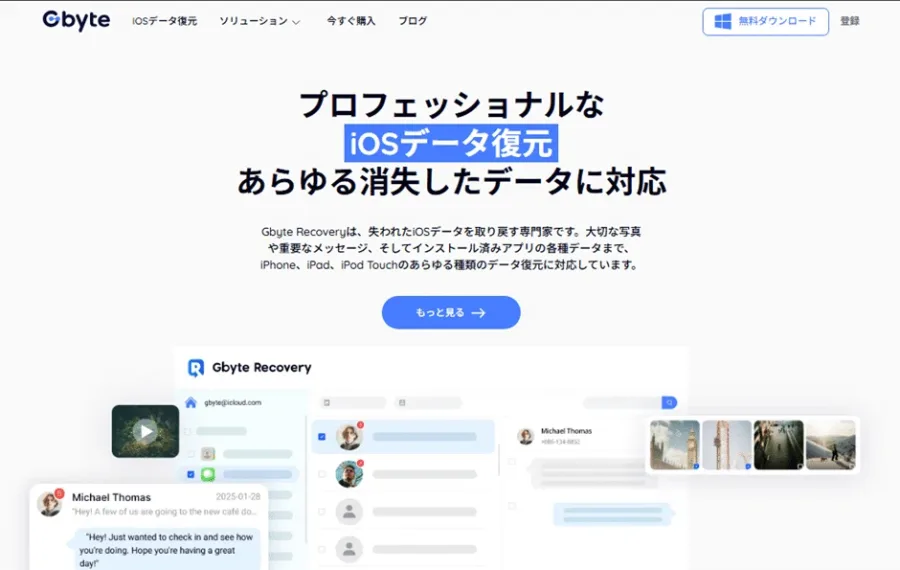
GByte Recovery is a data recovery tool for iOS, developed based on over six years of research. It utilizes 18 types of cutting-edge technology, and it is claimed that the recovery rate is five times higher than conventional tools.
It is possible to sign in with your Apple ID and recover data while checking it during the scan.
Part 2. Pros and Cons of GByte Recovery
The pros and cons of GByte Recovery are as follows.
Pros
・Simple operation method
・Easy to use even on low-spec computers
Cons
・It is not uncommon for recovery to fail
・Compatibility with Windows 11 is not very good
Part 3. Reviews of GByte Recovery
Although GByte Recovery has a high rating of 4.9 stars, there are also comments noting the small number of users. Let's look at the reviews below.
As shown above, while there are positive reviews regarding good customer support and easy recovery, the small number of users is cited as a point of concern.
Part 4. Recommended data recovery tools other than GByte Recovery
As shown, while GByte Recovery is easy to use and has many positive reviews, it faces challenges due to its small user base.
Therefore, we recommend UltData for iOS! It is a data recovery tool for iPhone and iPad, and its high recovery rate is its strength.
Also, it is not a problem even if the data, including backups, has disappeared. We will introduce how to use it below.
Data recovery tool with free scanning: UltData for iOS
Download here: https://x.gd/2Gio4
Great deal! Limited 20% off coupon code 【TSNOTE20OFF】
1. After installing and launching the software on your computer, click "Recover from iOS Device".
2. Ensure that your iPhone is connected to the computer.
3. Check the data you want to scan and recover, or select messages and click "Scan".
4. Check the necessary files and click "Recover".
In this way, you can easily perform recovery in just three steps.
Conclusion
As mentioned, while GByte Recovery has an easy-to-understand UI, it has few users and limited reviews outside of its official website.
Therefore, we recommend UltData for iOS.
Not only does it have a high recovery rate, but it also supports Windows and is designed to be easy for anyone to use. It is also available at a very affordable price.
You can also try the free version to see if you can recover your data, so please give it a try.
Great deal! Limited 20% off coupon code 【TSNOTE20OFF】