Scratch is fun, isn't it? However, for those who have improved enough to feel like something is missing, I believe TurboWarp is exactly what you should be using. So, I would like to introduce the differences and explain how to get started.
Note: I will provide a brief explanation of Scratch, but this is intended for intermediate to advanced users.
1 What is Scratch
Scratch is the world's largest coding community for children, and a coding language with a simple visual interface used by young people to create digital stories, games, and animations. Or so they say...
For now, is it safe to call it a general term for a programming language and community for children to learn? Since you can build programs like a game, I think it's perfect for learning.
I'll leave the overview of Scratch at that and move on to explaining TurboWarp.
2 What is TurboWarp
TurboWarp allows Scratch to run extremely fast by converting it into JavaScript format. Plus, converting it to JavaScript makes various things more convenient.
I should mention that TurboWarp is an unofficial mod of Scratch and explicitly states that it has no affiliation with Scratch, the Scratch Team, or the Scratch Foundation.
Also, like Scratch, TurboWarp is open source, and it is possible to create other mods using TurboWarp.
Other benefits of running it in JavaScript include 60 FPS execution (Scratch is 30 FPS), removing the clone limit (300 in Scratch), pausing, and many other features. The basic features are listed below.
FPS change (1 to 250 FPS)
Smooth object movement
High-resolution pen drawing
Clone limit removal
Removal of movement and size restrictions
Stage size modification
Addition of numerous extensions
These are all great features that reach the places where you felt something was missing. Furthermore, you can decide to turn each feature on or off individually. There are other features besides these, and they can also be toggled individually.
3 How to actually run it
Let's actually try it out.
First, TurboWarp supports both web and desktop.
I think the web version works on any device. I don't think the browser matters either. I don't have an environment to actually test it, so I can't say for sure, so I won't guarantee that part...
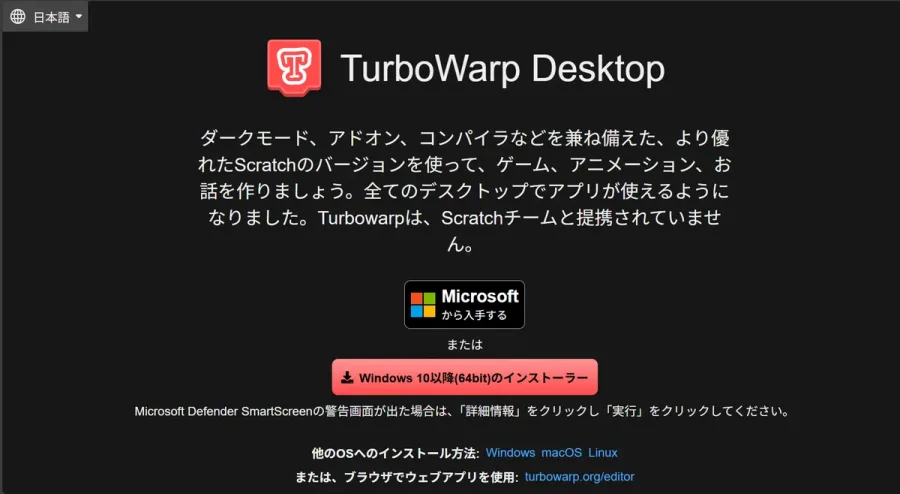
The desktop version supports Windows, Mac, and Linux. Flatpak? What's that, is it edible? (It exists, but I don't know it.) Anyway, I'll post a convenient URL that has links for both the web and desktop versions.
I will explain using the web version this time.
When you get here” or, use the web app in your browser: turbowarp.org/editor”
Press this to go to the next site. (The URL above also takes you to the same site.)
Then you will go to the next page.
There is something other than a cat here. You can just program it the same way as Scratch. Also, if you press 'View Project Page' at the top (which is cut off),
There is a faint URL written at the bottom. This is a text box where you can paste the URL of a project you have published, allowing the project to run in TurboWarp. However, please note that you cannot load projects that have not been published yet. (As of August 7, 2025)
Also, at the top, after the letter T, there is an item called 'Advanced Settings'.
If you press this section, you can toggle the basic features I mentioned earlier.
Because of this, you can make it run lighter while still having the same limitations as Scratch.
4 Summary
TurboWarp is lighter and more convenient than Scratch, so if you are having trouble with Scratch's performance or are working on something serious, it is a good idea to create it in TurboWarp.
Also, since it is compatible, you can publish projects created in TurboWarp to Scratch. Finally, I will post the link to TurboWarp again, so let's get started from here!