OstrisのXに、Qwen-ImageのLoRA学習についての投稿があり、SDXLのDreamBooth以来に画像生成のファインチューニングしてみようと思いました。
Ostrisのai-toolkitは「トレーニング特化ツールキット」のようで、このツールを使えば、RTX3090/4090でLoRAの学習ができるみたいです。
構築と学習を試していきます。
動画でも解説してます。
環境
OS:Windows 11
GPU:GeForce RTX 4090
CPU:i9-13900KF
memory:128G
構築手順
1) 事前インストール・NVIDIA ドライバ
・Python 3.10 以上
・Git
・Node.js 18 以上(UI を使う場合)
:: 任意の作業フォルダで
git clone https://github.com/ostris/ai-toolkit.git
cd ai-toolkit

:: 仮想環境
python -m venv venv
.\venv\Scripts\activate

:: PyTorch(CUDA 12.6 ビルド)を先に入れる
:: ↓でtyping-extensionsのエラーが出る場合は先に「pip install typing-extensions>=4.10.0」このコマンドを実行
pip install --no-cache-dir torch==2.7.0 torchvision==0.22.0 torchaudio==2.7.0 --index-url https://download.pytorch.org/whl/cu126

:: 残りの依存関係
pip install -r requirements.txt
GPU が見えているか確認(任意):
python -c "import torch;print('cuda:',torch.cuda.is_available());print(torch.cuda.get_device_name(0) if torch.cuda.is_available() else 'N/A')"cd ui npm run build_and_start
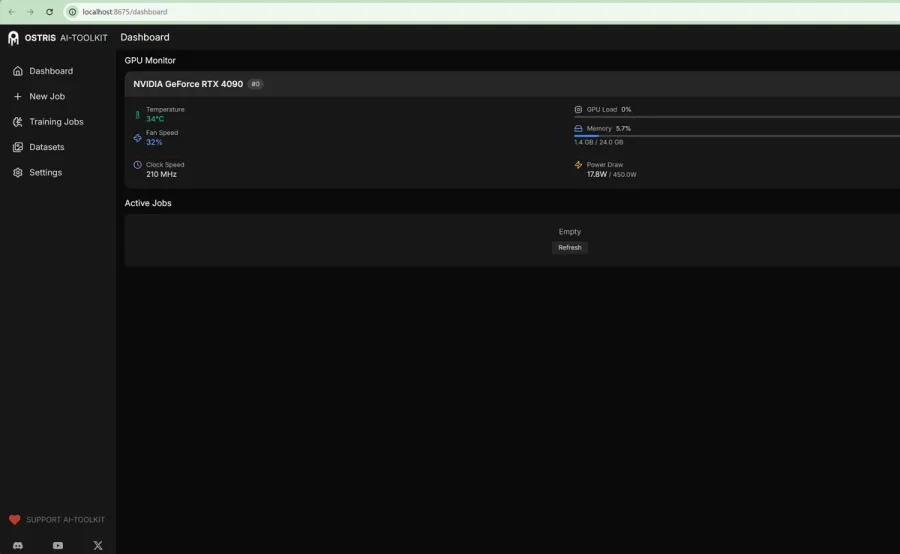
→ ブラウザで http://localhost:8675 にアクセス。
以下の画面が表示される。
動作確認
「+New Job」をクリックする。
「Qwen-Image」のLoRAを作ってみたいので、「Qwen-Image」を選択します。
OstrisのX投稿の設定をもとに設定します。
今回の場合、以下の設定にします。
「ai-toolkit\datasets」フォルダに学習用データを格納します。
今回は20枚の画像を用意しました。
設定が完了したら「Create Job」をクリックします。
やたらとなにかをダウンロードしてますね。
ダウンロードが終わると、学習が始まりそうな感じになっています。(厳密には、サンプルでの画像生成をしてそうですね。)
この時点でVRAMは21.2使ってますね。
以下のログを見ると、この段階で30分ぐらいかかりそうですね。
Generating baseline samples before training
Generating Images:  10%|######3                                                        | 1/10 [03:26<30:55, 206.17s/it]
↑が終わると、学習が始まってそうですね。
これだけ見ると、11時間コースですねぇ。
VRAMは23.4使ってますね。
Generating baseline samples before training
Qwen-Image-miharu:   0%|                              | 9/3000 [02:08<10:43:45, 12.91s/it, lr: 1.0e-04 loss: 3.119e-01]
開始から、約12時間。
まだ、1/3ぐらいかな。あれ、11時間は妄想だったか。
Generating baseline samples before training
Qwen-Image-miharu:   8%|##4                          | 249/3000 [54:30<9:57:52, 13.04s/it, lr: 1.0e-04 loss: 3.203e-01]
Saving at step 250
Saved checkpoint to E:\DeepLearning\ai-toolkit\output\Qwen-Image-miharu\Qwen-Image-miharu_000000250.safetensors
Saved optimizer to E:\DeepLearning\ai-toolkit\output\Qwen-Image-miharu\optimizer.pt
Qwen-Image-miharu:  17%|####3                     | 499/3000 [2:24:01<16:41:11, 24.02s/it, lr: 1.0e-04 loss: 1.156e-01]
Saving at step 500
Saved checkpoint to E:\DeepLearning\ai-toolkit\output\Qwen-Image-miharu\Qwen-Image-miharu_000000500.safetensors
Saved optimizer to E:\DeepLearning\ai-toolkit\output\Qwen-Image-miharu\optimizer.pt
Qwen-Image-miharu:  25%|######4                   | 749/3000 [4:41:56<20:57:24, 33.52s/it, lr: 1.0e-04 loss: 2.036e-01]
Saving at step 750
Saved checkpoint to E:\DeepLearning\ai-toolkit\output\Qwen-Image-miharu\Qwen-Image-miharu_000000750.safetensors
Saved optimizer to E:\DeepLearning\ai-toolkit\output\Qwen-Image-miharu\optimizer.pt
Qwen-Image-miharu:  33%|########9                  | 999/3000 [5:39:43<7:37:12, 13.71s/it, lr: 1.0e-04 loss: 2.886e-01]
Saving at step 1000
Saved checkpoint to E:\DeepLearning\ai-toolkit\output\Qwen-Image-miharu\Qwen-Image-miharu_000001000.safetensors
Saved optimizer to E:\DeepLearning\ai-toolkit\output\Qwen-Image-miharu\optimizer.pt
Qwen-Image-miharu:  42%|##########4              | 1249/3000 [7:18:17<10:21:01, 21.28s/it, lr: 1.0e-04 loss: 1.962e-02]
Saving at step 1250
Saved checkpoint to E:\DeepLearning\ai-toolkit\output\Qwen-Image-miharu\Qwen-Image-miharu_000001250.safetensors
Saved optimizer to E:\DeepLearning\ai-toolkit\output\Qwen-Image-miharu\optimizer.pt
Removing old save: E:\DeepLearning\ai-toolkit\output\Qwen-Image-miharu\Qwen-Image-miharu_000000250.safetensors
Qwen-Image-miharu:  43%|##########7              | 1294/3000 [7:39:27<12:06:44, 25.56s/it, lr: 1.0e-04 loss: 3.047e-01]
そして、27時間ぐらい経ったころに学習終了。(いや、かかり過ぎ。)
Generating baseline samples before training
Qwen-Image-miharu:   8%|##4                          | 249/3000 [54:30<9:57:52, 13.04s/it, lr: 1.0e-04 loss: 3.203e-01]
Saving at step 250
Saved checkpoint to E:\DeepLearning\ai-toolkit\output\Qwen-Image-miharu\Qwen-Image-miharu_000000250.safetensors
Saved optimizer to E:\DeepLearning\ai-toolkit\output\Qwen-Image-miharu\optimizer.pt
Qwen-Image-miharu:  17%|####3                     | 499/3000 [2:24:01<16:41:11, 24.02s/it, lr: 1.0e-04 loss: 1.156e-01]
Saving at step 500
Saved checkpoint to E:\DeepLearning\ai-toolkit\output\Qwen-Image-miharu\Qwen-Image-miharu_000000500.safetensors
Saved optimizer to E:\DeepLearning\ai-toolkit\output\Qwen-Image-miharu\optimizer.pt
Qwen-Image-miharu:  25%|######4                   | 749/3000 [4:41:56<20:57:24, 33.52s/it, lr: 1.0e-04 loss: 2.036e-01]
Saving at step 750
Saved checkpoint to E:\DeepLearning\ai-toolkit\output\Qwen-Image-miharu\Qwen-Image-miharu_000000750.safetensors
Saved optimizer to E:\DeepLearning\ai-toolkit\output\Qwen-Image-miharu\optimizer.pt
Qwen-Image-miharu:  33%|########9                  | 999/3000 [5:39:43<7:37:12, 13.71s/it, lr: 1.0e-04 loss: 2.886e-01]
Saving at step 1000
Saved checkpoint to E:\DeepLearning\ai-toolkit\output\Qwen-Image-miharu\Qwen-Image-miharu_000001000.safetensors
Saved optimizer to E:\DeepLearning\ai-toolkit\output\Qwen-Image-miharu\optimizer.pt
Qwen-Image-miharu:  42%|##########4              | 1249/3000 [7:18:17<10:21:01, 21.28s/it, lr: 1.0e-04 loss: 1.962e-02]
Saving at step 1250
Saved checkpoint to E:\DeepLearning\ai-toolkit\output\Qwen-Image-miharu\Qwen-Image-miharu_000001250.safetensors
Saved optimizer to E:\DeepLearning\ai-toolkit\output\Qwen-Image-miharu\optimizer.pt
Removing old save: E:\DeepLearning\ai-toolkit\output\Qwen-Image-miharu\Qwen-Image-miharu_000000250.safetensors
Qwen-Image-miharu:  50%|############4            | 1499/3000 [9:19:01<11:32:01, 27.66s/it, lr: 1.0e-04 loss: 5.070e-02]
Saving at step 1500
Saved checkpoint to E:\DeepLearning\ai-toolkit\output\Qwen-Image-miharu\Qwen-Image-miharu_000001500.safetensors
Saved optimizer to E:\DeepLearning\ai-toolkit\output\Qwen-Image-miharu\optimizer.pt
Removing old save: E:\DeepLearning\ai-toolkit\output\Qwen-Image-miharu\Qwen-Image-miharu_000000500.safetensors
Qwen-Image-miharu:  58%|##############5          | 1749/3000 [10:17:28<4:33:07, 13.10s/it, lr: 1.0e-04 loss: 2.353e-01]
Saving at step 1750
Saved checkpoint to E:\DeepLearning\ai-toolkit\output\Qwen-Image-miharu\Qwen-Image-miharu_000001750.safetensors
Saved optimizer to E:\DeepLearning\ai-toolkit\output\Qwen-Image-miharu\optimizer.pt
Removing old save: E:\DeepLearning\ai-toolkit\output\Qwen-Image-miharu\Qwen-Image-miharu_000000750.safetensors
Qwen-Image-miharu:  67%|################6        | 1999/3000 [12:13:33<7:11:05, 25.84s/it, lr: 1.0e-04 loss: 2.561e-01]
Saving at step 2000
Saved checkpoint to E:\DeepLearning\ai-toolkit\output\Qwen-Image-miharu\Qwen-Image-miharu_000002000.safetensors
Saved optimizer to E:\DeepLearning\ai-toolkit\output\Qwen-Image-miharu\optimizer.pt
Removing old save: E:\DeepLearning\ai-toolkit\output\Qwen-Image-miharu\Qwen-Image-miharu_000001000.safetensors
Qwen-Image-miharu:  75%|##################7      | 2249/3000 [13:43:47<4:44:59, 22.77s/it, lr: 1.0e-04 loss: 9.950e-03]
Saving at step 2250
Saved checkpoint to E:\DeepLearning\ai-toolkit\output\Qwen-Image-miharu\Qwen-Image-miharu_000002250.safetensors
Saved optimizer to E:\DeepLearning\ai-toolkit\output\Qwen-Image-miharu\optimizer.pt
Removing old save: E:\DeepLearning\ai-toolkit\output\Qwen-Image-miharu\Qwen-Image-miharu_000001250.safetensors
Qwen-Image-miharu:  83%|####################8    | 2499/3000 [15:28:40<3:33:30, 25.57s/it, lr: 1.0e-04 loss: 9.981e-02]
Saving at step 2500
Saved checkpoint to E:\DeepLearning\ai-toolkit\output\Qwen-Image-miharu\Qwen-Image-miharu_000002500.safetensors
Saved optimizer to E:\DeepLearning\ai-toolkit\output\Qwen-Image-miharu\optimizer.pt
Removing old save: E:\DeepLearning\ai-toolkit\output\Qwen-Image-miharu\Qwen-Image-miharu_000001500.safetensors
Qwen-Image-miharu:  92%|######################9  | 2749/3000 [17:28:00<2:04:12, 29.69s/it, lr: 1.0e-04 loss: 1.412e-01]
Saving at step 2750
Saved checkpoint to E:\DeepLearning\ai-toolkit\output\Qwen-Image-miharu\Qwen-Image-miharu_000002750.safetensors
Saved optimizer to E:\DeepLearning\ai-toolkit\output\Qwen-Image-miharu\optimizer.pt
Removing old save: E:\DeepLearning\ai-toolkit\output\Qwen-Image-miharu\Qwen-Image-miharu_000001750.safetensors
Qwen-Image-miharu: 100%|##########################9| 2999/3000 [19:09:19<00:22, 22.99s/it, lr: 1.0e-04 loss: 1.668e-01]

Saved checkpoint to E:\DeepLearning\ai-toolkit\output\Qwen-Image-miharu\Qwen-Image-miharu.safetensors
Saved optimizer to E:\DeepLearning\ai-toolkit\output\Qwen-Image-miharu\optimizer.pt

(venv) E:\DeepLearning\ai-toolkit>
「ai-toolkit\output\Training Name」フォルダにモデルが出力されていますね。
作ったLoRAをComfyUIで検証してみます。
画像タブから、「Qwen-Image Text to Image」を選択します。
各種モデルをダウンロードして、「ComfyUI\models」フォルダ内の各フォルダに格納します。
LoRAなしで生成すると以下になります。
LoRAありで生成すると以下になります。
想像以上に綺麗にLoRAが効いてますね。
ちなみにノードの紫色は、ノードを右クリックして、「バイパス」をクリックしてください。ノードが有効化されます。
反省点
サンプル画像生成が、1回につき30分かかってたので、今回の場合は30分×12回で、6時間サンプル画像生成に使っています。
これは省けるので、慣れてきたらサンプル画像生成の回数を極端に少なくしていいと思います。
その他
構築時のコマンドとログ。
E:\DeepLearning\ai-toolkit>.\venv\Scripts\activate

(venv) E:\DeepLearning\ai-toolkit>pip install --no-cache-dir torch==2.7.0 torchvision==0.22.0 torchaudio==2.7.0 --index-url https://download.pytorch.org/whl/cu126
Looking in indexes: https://download.pytorch.org/whl/cu126
Collecting torch==2.7.0
  Downloading https://download.pytorch.org/whl/cu126/torch-2.7.0%2Bcu126-cp310-cp310-win_amd64.whl (2770.9 MB)
     ━━━━━━━━━━━━━━━━━━━━━━━━━━━━━━━━━━━━━━━━ 2.8/2.8 GB 93.9 MB/s eta 0:00:00
Collecting torchvision==0.22.0
  Downloading https://download.pytorch.org/whl/cu126/torchvision-0.22.0%2Bcu126-cp310-cp310-win_amd64.whl (6.3 MB)
     ━━━━━━━━━━━━━━━━━━━━━━━━━━━━━━━━━━━━━━━━ 6.3/6.3 MB 68.0 MB/s eta 0:00:00
Collecting torchaudio==2.7.0
  Downloading https://download.pytorch.org/whl/cu126/torchaudio-2.7.0%2Bcu126-cp310-cp310-win_amd64.whl (4.2 MB)
     ━━━━━━━━━━━━━━━━━━━━━━━━━━━━━━━━━━━━━━━━ 4.2/4.2 MB 53.9 MB/s eta 0:00:00
Collecting sympy>=1.13.3
  Downloading https://download.pytorch.org/whl/sympy-1.13.3-py3-none-any.whl (6.2 MB)
     ━━━━━━━━━━━━━━━━━━━━━━━━━━━━━━━━━━━━━━━━ 6.2/6.2 MB 78.2 MB/s eta 0:00:00
Collecting filelock
  Downloading https://download.pytorch.org/whl/filelock-3.13.1-py3-none-any.whl (11 kB)
Collecting jinja2
  Downloading https://download.pytorch.org/whl/Jinja2-3.1.4-py3-none-any.whl (133 kB)
     ━━━━━━━━━━━━━━━━━━━━━━━━━━━━━━━━━━━━━━━━ 133.3/133.3 KB ? eta 0:00:00
Collecting networkx
  Downloading https://download.pytorch.org/whl/networkx-3.3-py3-none-any.whl (1.7 MB)
     ━━━━━━━━━━━━━━━━━━━━━━━━━━━━━━━━━━━━━━━━ 1.7/1.7 MB ? eta 0:00:00
Collecting fsspec
  Downloading https://download.pytorch.org/whl/fsspec-2024.6.1-py3-none-any.whl (177 kB)
     ━━━━━━━━━━━━━━━━━━━━━━━━━━━━━━━━━━━━━━━━ 177.6/177.6 KB ? eta 0:00:00
Collecting typing-extensions>=4.10.0
  Downloading https://download.pytorch.org/whl/typing_extensions-4.12.2-py3-none-any.whl (37 kB)
Collecting pillow!=8.3.,>=5.3.0
  Downloading https://download.pytorch.org/whl/pillow-11.0.0-cp310-cp310-win_amd64.whl (2.6 MB)
     ━━━━━━━━━━━━━━━━━━━━━━━━━━━━━━━━━━━━━━━━ 2.6/2.6 MB 159.8 MB/s eta 0:00:00
Collecting numpy
  Downloading https://download.pytorch.org/whl/numpy-2.1.2-cp310-cp310-win_amd64.whl (12.9 MB)
     ━━━━━━━━━━━━━━━━━━━━━━━━━━━━━━━━━━━━━━━━ 12.9/12.9 MB 93.0 MB/s eta 0:00:00
Collecting mpmath<1.4,>=1.1.0
  Downloading https://download.pytorch.org/whl/mpmath-1.3.0-py3-none-any.whl (536 kB)
     ━━━━━━━━━━━━━━━━━━━━━━━━━━━━━━━━━━━━━━━━ 536.2/536.2 KB ? eta 0:00:00
Collecting MarkupSafe>=2.0
  Downloading https://download.pytorch.org/whl/MarkupSafe-2.1.5-cp310-cp310-win_amd64.whl (17 kB)
Installing collected packages: mpmath, typing-extensions, sympy, pillow, numpy, networkx, MarkupSafe, fsspec, filelock, jinja2, torch, torchvision, torchaudio
Successfully installed MarkupSafe-2.1.5 filelock-3.13.1 fsspec-2024.6.1 jinja2-3.1.4 mpmath-1.3.0 networkx-3.3 numpy-2.1.2 pillow-11.0.0 sympy-1.13.3 torch-2.7.0+cu126 torchaudio-2.7.0+cu126 torchvision-0.22.0+cu126 typing-extensions-4.12.2

(venv) E:\DeepLearning\ai-toolkit>pip install -r requirements.txt
Collecting git+https://github.com/jaretburkett/easy_dwpose.git (from -r requirements.txt (line 3))
  Cloning https://github.com/jaretburkett/easy_dwpose.git to c:\temp\pip-req-build-jhw0qc8g
  Running command git clone --filter=blob:none --quiet https://github.com/jaretburkett/easy_dwpose.git 'C:\TEMP\pip-req-build-jhw0qc8g'
  Resolved https://github.com/jaretburkett/easy_dwpose.git to commit 028aa1449f9e07bdeef7f84ed0ce7a2660e72239
  Installing build dependencies ... done
  Getting requirements to build wheel ... done
  Preparing metadata (pyproject.toml) ... done
Collecting git+https://github.com/huggingface/diffusers@7ea065c5070a5278259e6f1effa9dccea232e62a (from -r requirements.txt (line 4))
  Cloning https://github.com/huggingface/diffusers (to revision 7ea065c5070a5278259e6f1effa9dccea232e62a) to c:\temp\pip-req-build-m0u_zcab
  Running command git clone --filter=blob:none --quiet https://github.com/huggingface/diffusers 'C:\TEMP\pip-req-build-m0u_zcab'
  Running command git rev-parse -q --verify 'sha^7ea065c5070a5278259e6f1effa9dccea232e62a'
  Running command git fetch -q https://github.com/huggingface/diffusers 7ea065c5070a5278259e6f1effa9dccea232e62a
  Running command git checkout -q 7ea065c5070a5278259e6f1effa9dccea232e62a
  Resolved https://github.com/huggingface/diffusers to commit 7ea065c5070a5278259e6f1effa9dccea232e62a
  Installing build dependencies ... done
  Getting requirements to build wheel ... done
  Preparing metadata (pyproject.toml) ... done
Collecting torchao==0.10.0
  Downloading torchao-0.10.0-py3-none-any.whl (746 kB)
     ━━━━━━━━━━━━━━━━━━━━━━━━━━━━━━━━━━━━━━━━ 746.6/746.6 KB 15.7 MB/s eta 0:00:00
Collecting safetensors
  Downloading safetensors-0.6.2-cp38-abi3-win_amd64.whl (320 kB)
     ━━━━━━━━━━━━━━━━━━━━━━━━━━━━━━━━━━━━━━━━ 320.2/320.2 KB 20.7 MB/s eta 0:00:00
Collecting transformers==4.52.4
  Using cached transformers-4.52.4-py3-none-any.whl (10.5 MB)
Collecting lycoris-lora==1.8.3
  Downloading lycoris_lora-1.8.3.tar.gz (96 kB)
     ━━━━━━━━━━━━━━━━━━━━━━━━━━━━━━━━━━━━━━━━ 96.5/96.5 KB ? eta 0:00:00
  Preparing metadata (setup.py) ... done
Collecting flatten_json
  Downloading flatten_json-0.1.14-py3-none-any.whl (8.0 kB)
Collecting pyyaml
  Using cached PyYAML-6.0.2-cp310-cp310-win_amd64.whl (161 kB)
Collecting oyaml
  Downloading oyaml-1.0-py2.py3-none-any.whl (3.0 kB)
Collecting tensorboard
  Downloading tensorboard-2.20.0-py3-none-any.whl (5.5 MB)
     ━━━━━━━━━━━━━━━━━━━━━━━━━━━━━━━━━━━━━━━━ 5.5/5.5 MB 44.1 MB/s eta 0:00:00
Collecting kornia
  Using cached kornia-0.8.1-py2.py3-none-any.whl (1.1 MB)
Collecting invisible-watermark
  Downloading invisible_watermark-0.2.0-py3-none-any.whl (1.6 MB)
     ━━━━━━━━━━━━━━━━━━━━━━━━━━━━━━━━━━━━━━━━ 1.6/1.6 MB 52.4 MB/s eta 0:00:00
Collecting einops
  Using cached einops-0.8.1-py3-none-any.whl (64 kB)
Collecting accelerate
  Downloading accelerate-1.10.0-py3-none-any.whl (374 kB)
     ━━━━━━━━━━━━━━━━━━━━━━━━━━━━━━━━━━━━━━━━ 374.7/374.7 KB 24.3 MB/s eta 0:00:00
Collecting toml
  Downloading toml-0.10.2-py2.py3-none-any.whl (16 kB)
Collecting albumentations==1.4.15
  Using cached albumentations-1.4.15-py3-none-any.whl (200 kB)
Collecting albucore==0.0.16
  Using cached albucore-0.0.16-py3-none-any.whl (9.5 kB)
Collecting pydantic
  Using cached pydantic-2.11.7-py3-none-any.whl (444 kB)
Collecting omegaconf
  Using cached omegaconf-2.3.0-py3-none-any.whl (79 kB)
Collecting k-diffusion
  Downloading k_diffusion-0.1.1.post1-py3-none-any.whl (33 kB)
Collecting open_clip_torch
  Downloading open_clip_torch-3.1.0-py3-none-any.whl (1.5 MB)
     ━━━━━━━━━━━━━━━━━━━━━━━━━━━━━━━━━━━━━━━━ 1.5/1.5 MB 47.9 MB/s eta 0:00:00
Collecting timm
  Downloading timm-1.0.19-py3-none-any.whl (2.5 MB)
     ━━━━━━━━━━━━━━━━━━━━━━━━━━━━━━━━━━━━━━━━ 2.5/2.5 MB 52.9 MB/s eta 0:00:00
Collecting prodigyopt
  Downloading prodigyopt-1.1.2-py3-none-any.whl (10 kB)
Collecting controlnet_aux==0.0.10
  Downloading controlnet_aux-0.0.10-py3-none-any.whl (290 kB)
     ━━━━━━━━━━━━━━━━━━━━━━━━━━━━━━━━━━━━━━━━ 290.4/290.4 KB 18.7 MB/s eta 0:00:00
Collecting python-dotenv
  Downloading python_dotenv-1.1.1-py3-none-any.whl (20 kB)
Collecting bitsandbytes
  Downloading bitsandbytes-0.47.0-py3-none-win_amd64.whl (60.7 MB)
     ━━━━━━━━━━━━━━━━━━━━━━━━━━━━━━━━━━━━━━━━ 60.7/60.7 MB 26.2 MB/s eta 0:00:00
Collecting hf_transfer
  Downloading hf_transfer-0.1.9-cp38-abi3-win_amd64.whl (1.2 MB)
     ━━━━━━━━━━━━━━━━━━━━━━━━━━━━━━━━━━━━━━━━ 1.2/1.2 MB 71.9 MB/s eta 0:00:00
Collecting lpips
  Downloading lpips-0.1.4-py3-none-any.whl (53 kB)
     ━━━━━━━━━━━━━━━━━━━━━━━━━━━━━━━━━━━━━━━━ 53.8/53.8 KB ? eta 0:00:00
Collecting pytorch_fid
  Downloading pytorch_fid-0.3.0-py3-none-any.whl (15 kB)
Collecting optimum-quanto==0.2.4
  Downloading optimum_quanto-0.2.4-py3-none-any.whl (109 kB)
     ━━━━━━━━━━━━━━━━━━━━━━━━━━━━━━━━━━━━━━━━ 109.7/109.7 KB ? eta 0:00:00
Collecting sentencepiece
  Downloading sentencepiece-0.2.1-cp310-cp310-win_amd64.whl (1.1 MB)
     ━━━━━━━━━━━━━━━━━━━━━━━━━━━━━━━━━━━━━━━━ 1.1/1.1 MB 32.6 MB/s eta 0:00:00
Collecting huggingface_hub
  Downloading huggingface_hub-0.34.4-py3-none-any.whl (561 kB)
     ━━━━━━━━━━━━━━━━━━━━━━━━━━━━━━━━━━━━━━━━ 561.5/561.5 KB 34.5 MB/s eta 0:00:00
Collecting peft
  Downloading peft-0.17.0-py3-none-any.whl (503 kB)
     ━━━━━━━━━━━━━━━━━━━━━━━━━━━━━━━━━━━━━━━━ 503.9/503.9 KB ? eta 0:00:00
Collecting gradio
  Downloading gradio-5.42.0-py3-none-any.whl (59.7 MB)
     ━━━━━━━━━━━━━━━━━━━━━━━━━━━━━━━━━━━━━━━━ 59.7/59.7 MB 25.2 MB/s eta 0:00:00
Collecting python-slugify
  Using cached python_slugify-8.0.4-py2.py3-none-any.whl (10 kB)
Collecting opencv-python
  Downloading opencv_python-4.12.0.88-cp37-abi3-win_amd64.whl (39.0 MB)
     ━━━━━━━━━━━━━━━━━━━━━━━━━━━━━━━━━━━━━━━━ 39.0/39.0 MB 32.7 MB/s eta 0:00:00
Collecting pytorch-wavelets==1.3.0
  Downloading pytorch_wavelets-1.3.0-py3-none-any.whl (54 kB)
     ━━━━━━━━━━━━━━━━━━━━━━━━━━━━━━━━━━━━━━━━ 54.9/54.9 KB ? eta 0:00:00
Collecting matplotlib==3.10.1
  Using cached matplotlib-3.10.1-cp310-cp310-win_amd64.whl (8.1 MB)
Collecting setuptools==69.5.1
  Downloading setuptools-69.5.1-py3-none-any.whl (894 kB)
     ━━━━━━━━━━━━━━━━━━━━━━━━━━━━━━━━━━━━━━━━ 894.6/894.6 KB 28.5 MB/s eta 0:00:00
Requirement already satisfied: filelock in e:\deeplearning\ai-toolkit\venv\lib\site-packages (from transformers==4.52.4->-r requirements.txt (line 5)) (3.13.1)
Requirement already satisfied: numpy>=1.17 in e:\deeplearning\ai-toolkit\venv\lib\site-packages (from transformers==4.52.4->-r requirements.txt (line 5)) (2.1.2)
Collecting requests
  Using cached requests-2.32.4-py3-none-any.whl (64 kB)
Collecting tokenizers<0.22,>=0.21
  Downloading tokenizers-0.21.4-cp39-abi3-win_amd64.whl (2.5 MB)
     ━━━━━━━━━━━━━━━━━━━━━━━━━━━━━━━━━━━━━━━━ 2.5/2.5 MB 53.1 MB/s eta 0:00:00
Collecting tqdm>=4.27
  Using cached tqdm-4.67.1-py3-none-any.whl (78 kB)
Collecting packaging>=20.0
  Using cached packaging-25.0-py3-none-any.whl (66 kB)
Collecting regex!=2019.12.17
  Downloading regex-2025.7.34-cp310-cp310-win_amd64.whl (276 kB)
     ━━━━━━━━━━━━━━━━━━━━━━━━━━━━━━━━━━━━━━━━ 276.0/276.0 KB 17.7 MB/s eta 0:00:00
Requirement already satisfied: torch in e:\deeplearning\ai-toolkit\venv\lib\site-packages (from lycoris-lora==1.8.3->-r requirements.txt (line 6)) (2.7.0+cu126)
Collecting scikit-image>=0.21.0
  Using cached scikit_image-0.25.2-cp310-cp310-win_amd64.whl (12.8 MB)
Collecting eval-type-backport
  Using cached eval_type_backport-0.2.2-py3-none-any.whl (5.8 kB)
Collecting scipy>=1.10.0
  Using cached scipy-1.15.3-cp310-cp310-win_amd64.whl (41.3 MB)
Collecting opencv-python-headless>=4.9.0.80
  Downloading opencv_python_headless-4.12.0.88-cp37-abi3-win_amd64.whl (38.9 MB)
     ━━━━━━━━━━━━━━━━━━━━━━━━━━━━━━━━━━━━━━━━ 38.9/38.9 MB 32.7 MB/s eta 0:00:00
Requirement already satisfied: torchvision in e:\deeplearning\ai-toolkit\venv\lib\site-packages (from controlnet_aux==0.0.10->-r requirements.txt (line 24)) (0.22.0+cu126)
Collecting importlib_metadata
  Using cached importlib_metadata-8.7.0-py3-none-any.whl (27 kB)
Requirement already satisfied: Pillow in e:\deeplearning\ai-toolkit\venv\lib\site-packages (from controlnet_aux==0.0.10->-r requirements.txt (line 24)) (11.0.0)
Collecting ninja
  Downloading ninja-1.13.0-py3-none-win_amd64.whl (309 kB)
     ━━━━━━━━━━━━━━━━━━━━━━━━━━━━━━━━━━━━━━━━ 310.0/310.0 KB 18.7 MB/s eta 0:00:00
Collecting six
  Using cached six-1.17.0-py2.py3-none-any.whl (11 kB)
Collecting pyparsing>=2.3.1
  Using cached pyparsing-3.2.3-py3-none-any.whl (111 kB)
Collecting kiwisolver>=1.3.1
  Downloading kiwisolver-1.4.9-cp310-cp310-win_amd64.whl (73 kB)
     ━━━━━━━━━━━━━━━━━━━━━━━━━━━━━━━━━━━━━━━━ 73.7/73.7 KB ? eta 0:00:00
Collecting contourpy>=1.0.1
  Using cached contourpy-1.3.2-cp310-cp310-win_amd64.whl (221 kB)
Collecting fonttools>=4.22.0
  Downloading fonttools-4.59.0-cp310-cp310-win_amd64.whl (2.3 MB)
     ━━━━━━━━━━━━━━━━━━━━━━━━━━━━━━━━━━━━━━━━ 2.3/2.3 MB 72.6 MB/s eta 0:00:00
Collecting python-dateutil>=2.7
  Using cached python_dateutil-2.9.0.post0-py2.py3-none-any.whl (229 kB)
Collecting cycler>=0.10
  Using cached cycler-0.12.1-py3-none-any.whl (8.3 kB)
Collecting loguru<0.8.0,>=0.7.2
  Using cached loguru-0.7.3-py3-none-any.whl (61 kB)
Collecting imageio<3.0.0,>=2.9.0
  Using cached imageio-2.37.0-py3-none-any.whl (315 kB)
Collecting numpy>=1.17
  Using cached numpy-1.26.4-cp310-cp310-win_amd64.whl (15.8 MB)
Collecting antlr4-python3-runtime==4.9.
  Using cached antlr4_python3_runtime-4.9.3-py3-none-any.whl
Collecting werkzeug>=1.0.1
  Using cached werkzeug-3.1.3-py3-none-any.whl (224 kB)
Collecting protobuf!=4.24.0,>=3.19.6
  Downloading protobuf-6.31.1-cp310-abi3-win_amd64.whl (435 kB)
     ━━━━━━━━━━━━━━━━━━━━━━━━━━━━━━━━━━━━━━━━ 435.3/435.3 KB ? eta 0:00:00
Collecting markdown>=2.6.8
  Downloading markdown-3.8.2-py3-none-any.whl (106 kB)
     ━━━━━━━━━━━━━━━━━━━━━━━━━━━━━━━━━━━━━━━━ 106.8/106.8 KB ? eta 0:00:00
Collecting absl-py>=0.4
  Downloading absl_py-2.3.1-py3-none-any.whl (135 kB)
     ━━━━━━━━━━━━━━━━━━━━━━━━━━━━━━━━━━━━━━━━ 135.8/135.8 KB ? eta 0:00:00
Collecting tensorboard-data-server<0.8.0,>=0.7.0
  Using cached tensorboard_data_server-0.7.2-py3-none-any.whl (2.4 kB)
Collecting grpcio>=1.48.2
  Downloading grpcio-1.74.0-cp310-cp310-win_amd64.whl (4.5 MB)
     ━━━━━━━━━━━━━━━━━━━━━━━━━━━━━━━━━━━━━━━━ 4.5/4.5 MB 47.7 MB/s eta 0:00:00
Collecting kornia_rs>=0.1.9
  Using cached kornia_rs-0.1.9-cp310-cp310-win_amd64.whl (2.3 MB)
Collecting PyWavelets>=1.1.1
  Downloading pywavelets-1.8.0-cp310-cp310-win_amd64.whl (4.2 MB)
     ━━━━━━━━━━━━━━━━━━━━━━━━━━━━━━━━━━━━━━━━ 4.2/4.2 MB 53.9 MB/s eta 0:00:00
Collecting psutil
  Using cached psutil-7.0.0-cp37-abi3-win_amd64.whl (244 kB)
Collecting typing-inspection>=0.4.0
  Using cached typing_inspection-0.4.1-py3-none-any.whl (14 kB)
Requirement already satisfied: typing-extensions>=4.12.2 in e:\deeplearning\ai-toolkit\venv\lib\site-packages (from pydantic->-r requirements.txt (line 18)) (4.12.2)
Collecting annotated-types>=0.6.0
  Using cached annotated_types-0.7.0-py3-none-any.whl (13 kB)
Collecting pydantic-core==2.33.2
  Using cached pydantic_core-2.33.2-cp310-cp310-win_amd64.whl (2.0 MB)
Collecting clean-fid
  Using cached clean_fid-0.1.35-py3-none-any.whl (26 kB)
Collecting jsonmerge
  Using cached jsonmerge-1.9.2-py3-none-any.whl (19 kB)
Collecting torchsde
  Using cached torchsde-0.2.6-py3-none-any.whl (61 kB)
Collecting dctorch
  Downloading dctorch-0.1.2-py3-none-any.whl (2.3 kB)
Collecting wandb
  Downloading wandb-0.21.1-py3-none-win_amd64.whl (21.6 MB)
     ━━━━━━━━━━━━━━━━━━━━━━━━━━━━━━━━━━━━━━━━ 21.6/21.6 MB 46.7 MB/s eta 0:00:00
Collecting torchdiffeq
  Using cached torchdiffeq-0.2.5-py3-none-any.whl (32 kB)
Collecting clip-anytorch
  Downloading clip_anytorch-2.6.0-py3-none-any.whl (1.4 MB)
     ━━━━━━━━━━━━━━━━━━━━━━━━━━━━━━━━━━━━━━━━ 1.4/1.4 MB 44.0 MB/s eta 0:00:00
Collecting ftfy
  Using cached ftfy-6.3.1-py3-none-any.whl (44 kB)
Requirement already satisfied: fsspec>=2023.5.0 in e:\deeplearning\ai-toolkit\venv\lib\site-packages (from huggingface_hub->-r requirements.txt (line 32)) (2024.6.1)
Collecting safehttpx<0.2.0,>=0.1.6
  Using cached safehttpx-0.1.6-py3-none-any.whl (8.7 kB)
Collecting aiofiles<25.0,>=22.0
  Downloading aiofiles-24.1.0-py3-none-any.whl (15 kB)
Collecting python-multipart>=0.0.18
  Using cached python_multipart-0.0.20-py3-none-any.whl (24 kB)
Collecting groovy~=0.1
  Using cached groovy-0.1.2-py3-none-any.whl (14 kB)
Collecting semantic-version~=2.0
  Using cached semantic_version-2.10.0-py2.py3-none-any.whl (15 kB)
Collecting fastapi<1.0,>=0.115.2
  Downloading fastapi-0.116.1-py3-none-any.whl (95 kB)
     ━━━━━━━━━━━━━━━━━━━━━━━━━━━━━━━━━━━━━━━━ 95.6/95.6 KB 1.4 MB/s eta 0:00:00
Collecting pydub
  Using cached pydub-0.25.1-py2.py3-none-any.whl (32 kB)
Collecting tomlkit<0.14.0,>=0.12.0
  Downloading tomlkit-0.13.3-py3-none-any.whl (38 kB)
Collecting typer<1.0,>=0.12
  Downloading typer-0.16.0-py3-none-any.whl (46 kB)
     ━━━━━━━━━━━━━━━━━━━━━━━━━━━━━━━━━━━━━━━━ 46.3/46.3 KB 2.3 MB/s eta 0:00:00
Collecting anyio<5.0,>=3.0
  Downloading anyio-4.10.0-py3-none-any.whl (107 kB)
     ━━━━━━━━━━━━━━━━━━━━━━━━━━━━━━━━━━━━━━━━ 107.2/107.2 KB ? eta 0:00:00
Collecting ffmpy
  Downloading ffmpy-0.6.1-py3-none-any.whl (5.5 kB)
Requirement already satisfied: markupsafe<4.0,>=2.0 in e:\deeplearning\ai-toolkit\venv\lib\site-packages (from gradio->-r requirements.txt (line 34)) (2.1.5)
Collecting brotli>=1.1.0
  Downloading Brotli-1.1.0-cp310-cp310-win_amd64.whl (357 kB)
     ━━━━━━━━━━━━━━━━━━━━━━━━━━━━━━━━━━━━━━━━ 357.3/357.3 KB 23.1 MB/s eta 0:00:00
Requirement already satisfied: jinja2<4.0 in e:\deeplearning\ai-toolkit\venv\lib\site-packages (from gradio->-r requirements.txt (line 34)) (3.1.4)
Collecting ruff>=0.9.3
  Downloading ruff-0.12.8-py3-none-win_amd64.whl (12.7 MB)
     ━━━━━━━━━━━━━━━━━━━━━━━━━━━━━━━━━━━━━━━━ 12.7/12.7 MB 54.4 MB/s eta 0:00:00
Collecting starlette<1.0,>=0.40.0
  Downloading starlette-0.47.2-py3-none-any.whl (72 kB)
     ━━━━━━━━━━━━━━━━━━━━━━━━━━━━━━━━━━━━━━━━ 73.0/73.0 KB ? eta 0:00:00
Collecting orjson~=3.0
  Downloading orjson-3.11.2-cp310-cp310-win_amd64.whl (119 kB)
     ━━━━━━━━━━━━━━━━━━━━━━━━━━━━━━━━━━━━━━━━ 119.7/119.7 KB 7.3 MB/s eta 0:00:00
Collecting httpx<1.0,>=0.24.1
  Using cached httpx-0.28.1-py3-none-any.whl (73 kB)
Collecting uvicorn>=0.14.0
  Using cached uvicorn-0.35.0-py3-none-any.whl (66 kB)
Collecting gradio-client==1.11.1
  Downloading gradio_client-1.11.1-py3-none-any.whl (324 kB)
     ━━━━━━━━━━━━━━━━━━━━━━━━━━━━━━━━━━━━━━━━ 324.5/324.5 KB 19.6 MB/s eta 0:00:00
Collecting pandas<3.0,>=1.0
  Downloading pandas-2.3.1-cp310-cp310-win_amd64.whl (11.3 MB)
     ━━━━━━━━━━━━━━━━━━━━━━━━━━━━━━━━━━━━━━━━ 11.3/11.3 MB 50.4 MB/s eta 0:00:00
Collecting websockets<16.0,>=10.0
  Using cached websockets-15.0.1-cp310-cp310-win_amd64.whl (176 kB)
Collecting text-unidecode>=1.3
  Using cached text_unidecode-1.3-py2.py3-none-any.whl (78 kB)
Collecting opencv-python
  Using cached opencv_python-4.11.0.86-cp37-abi3-win_amd64.whl (39.5 MB)
Collecting sniffio>=1.1
  Using cached sniffio-1.3.1-py3-none-any.whl (10 kB)
Collecting idna>=2.8
  Using cached idna-3.10-py3-none-any.whl (70 kB)
Collecting exceptiongroup>=1.0.2
  Using cached exceptiongroup-1.3.0-py3-none-any.whl (16 kB)
Collecting httpcore==1.*
  Using cached httpcore-1.0.9-py3-none-any.whl (78 kB)
Collecting certifi
  Downloading certifi-2025.8.3-py3-none-any.whl (161 kB)
     ━━━━━━━━━━━━━━━━━━━━━━━━━━━━━━━━━━━━━━━━ 161.2/161.2 KB 9.4 MB/s eta 0:00:00
Collecting h11>=0.16
  Using cached h11-0.16.0-py3-none-any.whl (37 kB)
Collecting win32-setctime>=1.0.0
  Using cached win32_setctime-1.2.0-py3-none-any.whl (4.1 kB)
Collecting colorama>=0.3.4
  Using cached colorama-0.4.6-py2.py3-none-any.whl (25 kB)
Collecting opencv-python-headless>=4.9.0.80
  Using cached opencv_python_headless-4.11.0.86-cp37-abi3-win_amd64.whl (39.4 MB)
Collecting pytz>=2020.1
  Using cached pytz-2025.2-py2.py3-none-any.whl (509 kB)
Collecting tzdata>=2022.7
  Using cached tzdata-2025.2-py2.py3-none-any.whl (347 kB)
Collecting tifffile>=2022.8.12
  Using cached tifffile-2025.5.10-py3-none-any.whl (226 kB)
Requirement already satisfied: networkx>=3.0 in e:\deeplearning\ai-toolkit\venv\lib\site-packages (from scikit-image>=0.21.0->albumentations==1.4.15->-r requirements.txt (line 16)) (3.3)
Collecting lazy-loader>=0.4
  Using cached lazy_loader-0.4-py3-none-any.whl (12 kB)
Requirement already satisfied: sympy>=1.13.3 in e:\deeplearning\ai-toolkit\venv\lib\site-packages (from torch->lycoris-lora==1.8.3->-r requirements.txt (line 6)) (1.13.3)
Collecting shellingham>=1.3.0
  Using cached shellingham-1.5.4-py2.py3-none-any.whl (9.8 kB)
Collecting click>=8.0.0
  Using cached click-8.2.1-py3-none-any.whl (102 kB)
Collecting rich>=10.11.0
  Downloading rich-14.1.0-py3-none-any.whl (243 kB)
     ━━━━━━━━━━━━━━━━━━━━━━━━━━━━━━━━━━━━━━━━ 243.4/243.4 KB 15.5 MB/s eta 0:00:00
Collecting wcwidth
  Using cached wcwidth-0.2.13-py2.py3-none-any.whl (34 kB)
Collecting zipp>=3.20
  Using cached zipp-3.23.0-py3-none-any.whl (10 kB)
Collecting jsonschema>2.4.0
  Downloading jsonschema-4.25.0-py3-none-any.whl (89 kB)
     ━━━━━━━━━━━━━━━━━━━━━━━━━━━━━━━━━━━━━━━━ 89.2/89.2 KB 4.9 MB/s eta 0:00:00
Collecting urllib3<3,>=1.21.1
  Using cached urllib3-2.5.0-py3-none-any.whl (129 kB)
Collecting charset_normalizer<4,>=2
  Downloading charset_normalizer-3.4.3-cp310-cp310-win_amd64.whl (107 kB)
     ━━━━━━━━━━━━━━━━━━━━━━━━━━━━━━━━━━━━━━━━ 107.5/107.5 KB 6.1 MB/s eta 0:00:00
Collecting trampoline>=0.1.2
  Using cached trampoline-0.1.2-py3-none-any.whl (5.2 kB)
Collecting platformdirs
  Using cached platformdirs-4.3.8-py3-none-any.whl (18 kB)
Collecting sentry-sdk>=2.0.0
  Downloading sentry_sdk-2.34.1-py2.py3-none-any.whl (357 kB)
     ━━━━━━━━━━━━━━━━━━━━━━━━━━━━━━━━━━━━━━━━ 357.7/357.7 KB ? eta 0:00:00
Collecting gitpython!=3.1.29,>=1.0.0
  Downloading gitpython-3.1.45-py3-none-any.whl (208 kB)
     ━━━━━━━━━━━━━━━━━━━━━━━━━━━━━━━━━━━━━━━━ 208.2/208.2 KB ? eta 0:00:00
Collecting gitdb<5,>=4.0.1
  Using cached gitdb-4.0.12-py3-none-any.whl (62 kB)
Collecting rpds-py>=0.7.1
  Downloading rpds_py-0.27.0-cp310-cp310-win_amd64.whl (230 kB)
     ━━━━━━━━━━━━━━━━━━━━━━━━━━━━━━━━━━━━━━━━ 230.1/230.1 KB 13.7 MB/s eta 0:00:00
Collecting jsonschema-specifications>=2023.03.6
  Using cached jsonschema_specifications-2025.4.1-py3-none-any.whl (18 kB)
Collecting referencing>=0.28.4
  Using cached referencing-0.36.2-py3-none-any.whl (26 kB)
Collecting attrs>=22.2.0
  Using cached attrs-25.3.0-py3-none-any.whl (63 kB)
Collecting markdown-it-py>=2.2.0
  Downloading markdown_it_py-4.0.0-py3-none-any.whl (87 kB)
     ━━━━━━━━━━━━━━━━━━━━━━━━━━━━━━━━━━━━━━━━ 87.3/87.3 KB ? eta 0:00:00
Collecting pygments<3.0.0,>=2.13.0
  Using cached pygments-2.19.2-py3-none-any.whl (1.2 MB)
Requirement already satisfied: mpmath<1.4,>=1.1.0 in e:\deeplearning\ai-toolkit\venv\lib\site-packages (from sympy>=1.13.3->torch->lycoris-lora==1.8.3->-r requirements.txt (line 6)) (1.3.0)
Collecting smmap<6,>=3.0.1
  Using cached smmap-5.0.2-py3-none-any.whl (24 kB)
Collecting mdurl~=0.1
  Using cached mdurl-0.1.2-py3-none-any.whl (10.0 kB)
Using legacy 'setup.py install' for lycoris-lora, since package 'wheel' is not installed.
Building wheels for collected packages: easy_dwpose, diffusers
  Building wheel for easy_dwpose (pyproject.toml) ... done
  Created wheel for easy_dwpose: filename=easy_dwpose-1.0.3-py3-none-any.whl size=20351 sha256=51ecb1b677fcb3fdb1ab39d7bafa5d612754acb30e1271d3a00420cd7dd9a234
  Stored in directory: C:\TEMP\pip-ephem-wheel-cache-ypc89nvo\wheels\bc\d5\5e\87e7c48a1e6013bb0a77d53360ec516fbf211e8b3c88c1122b
  Building wheel for diffusers (pyproject.toml) ... done
  Created wheel for diffusers: filename=diffusers-0.35.0.dev0-py3-none-any.whl size=4100482 sha256=7d675535e18c29dfdbfb558f1a9acb6b4e2c64452c8f2b664fef09a1021e779e
  Stored in directory: c:\users\XXXXXX\appdata\local\pip\cache\wheels\a3\2e\10\5b6af2c7f1b294a9262278f8d38d66950d195dec22dc845633
Successfully built easy_dwpose diffusers
Installing collected packages: wcwidth, trampoline, torchao, text-unidecode, pytz, pydub, brotli, antlr4-python3-runtime, zipp, win32-setctime, werkzeug, websockets, urllib3, tzdata, typing-inspection, tomlkit, toml, tensorboard-data-server, sniffio, smmap, six, shellingham, setuptools, sentencepiece, semantic-version, safetensors, ruff, rpds-py, regex, pyyaml, python-slugify, python-multipart, python-dotenv, pyparsing, pygments, pydantic-core, psutil, protobuf, prodigyopt, platformdirs, packaging, orjson, numpy, ninja, mdurl, markdown, kornia_rs, kiwisolver, idna, hf_transfer, h11, grpcio, groovy, ftfy, fonttools, ffmpy, exceptiongroup, eval-type-backport, einops, cycler, colorama, charset_normalizer, certifi, attrs, annotated-types, aiofiles, absl-py, tqdm, tifffile, tensorboard, sentry-sdk, scipy, requests, referencing, PyWavelets, python-dateutil, pydantic, oyaml, opencv-python-headless, opencv-python, omegaconf, markdown-it-py, loguru, lazy-loader, importlib_metadata, imageio, httpcore, gitdb, flatten_json, contourpy, click, anyio, uvicorn, torchsde, torchdiffeq, starlette, scikit-image, rich, pytorch-wavelets, pandas, optimum-quanto, matplotlib, kornia, jsonschema-specifications, invisible-watermark, huggingface_hub, httpx, gitpython, dctorch, bitsandbytes, albucore, wandb, typer, tokenizers, timm, safehttpx, pytorch_fid, lpips, jsonschema, gradio-client, fastapi, easy_dwpose, diffusers, clip-anytorch, clean-fid, albumentations, accelerate, transformers, open_clip_torch, jsonmerge, gradio, controlnet_aux, peft, lycoris-lora, k-diffusion
  Attempting uninstall: setuptools
    Found existing installation: setuptools 58.1.0
    Uninstalling setuptools-58.1.0:
      Successfully uninstalled setuptools-58.1.0
  Attempting uninstall: numpy
    Found existing installation: numpy 2.1.2
    Uninstalling numpy-2.1.2:
      Successfully uninstalled numpy-2.1.2
  Running setup.py install for lycoris-lora ... done
Successfully installed PyWavelets-1.8.0 absl-py-2.3.1 accelerate-1.10.0 aiofiles-24.1.0 albucore-0.0.16 albumentations-1.4.15 annotated-types-0.7.0 antlr4-python3-runtime-4.9.3 anyio-4.10.0 attrs-25.3.0 bitsandbytes-0.47.0 brotli-1.1.0 certifi-2025.8.3 charset_normalizer-3.4.3 clean-fid-0.1.35 click-8.2.1 clip-anytorch-2.6.0 colorama-0.4.6 contourpy-1.3.2 controlnet_aux-0.0.10 cycler-0.12.1 dctorch-0.1.2 diffusers-0.35.0.dev0 easy_dwpose-1.0.3 einops-0.8.1 eval-type-backport-0.2.2 exceptiongroup-1.3.0 fastapi-0.116.1 ffmpy-0.6.1 flatten_json-0.1.14 fonttools-4.59.0 ftfy-6.3.1 gitdb-4.0.12 gitpython-3.1.45 gradio-5.42.0 gradio-client-1.11.1 groovy-0.1.2 grpcio-1.74.0 h11-0.16.0 hf_transfer-0.1.9 httpcore-1.0.9 httpx-0.28.1 huggingface_hub-0.34.4 idna-3.10 imageio-2.37.0 importlib_metadata-8.7.0 invisible-watermark-0.2.0 jsonmerge-1.9.2 jsonschema-4.25.0 jsonschema-specifications-2025.4.1 k-diffusion-0.1.1.post1 kiwisolver-1.4.9 kornia-0.8.1 kornia_rs-0.1.9 lazy-loader-0.4 loguru-0.7.3 lpips-0.1.4 lycoris-lora-1.8.3 markdown-3.8.2 markdown-it-py-4.0.0 matplotlib-3.10.1 mdurl-0.1.2 ninja-1.13.0 numpy-1.26.4 omegaconf-2.3.0 open_clip_torch-3.1.0 opencv-python-4.11.0.86 opencv-python-headless-4.11.0.86 optimum-quanto-0.2.4 orjson-3.11.2 oyaml-1.0 packaging-25.0 pandas-2.3.1 peft-0.17.0 platformdirs-4.3.8 prodigyopt-1.1.2 protobuf-6.31.1 psutil-7.0.0 pydantic-2.11.7 pydantic-core-2.33.2 pydub-0.25.1 pygments-2.19.2 pyparsing-3.2.3 python-dateutil-2.9.0.post0 python-dotenv-1.1.1 python-multipart-0.0.20 python-slugify-8.0.4 pytorch-wavelets-1.3.0 pytorch_fid-0.3.0 pytz-2025.2 pyyaml-6.0.2 referencing-0.36.2 regex-2025.7.34 requests-2.32.4 rich-14.1.0 rpds-py-0.27.0 ruff-0.12.8 safehttpx-0.1.6 safetensors-0.6.2 scikit-image-0.25.2 scipy-1.15.3 semantic-version-2.10.0 sentencepiece-0.2.1 sentry-sdk-2.34.1 setuptools-69.5.1 shellingham-1.5.4 six-1.17.0 smmap-5.0.2 sniffio-1.3.1 starlette-0.47.2 tensorboard-2.20.0 tensorboard-data-server-0.7.2 text-unidecode-1.3 tifffile-2025.5.10 timm-1.0.19 tokenizers-0.21.4 toml-0.10.2 tomlkit-0.13.3 torchao-0.10.0 torchdiffeq-0.2.5 torchsde-0.2.6 tqdm-4.67.1 trampoline-0.1.2 transformers-4.52.4 typer-0.16.0 typing-inspection-0.4.1 tzdata-2025.2 urllib3-2.5.0 uvicorn-0.35.0 wandb-0.21.1 wcwidth-0.2.13 websockets-15.0.1 werkzeug-3.1.3 win32-setctime-1.2.0 zipp-3.23.0
WARNING: You are using pip version 22.0.4; however, version 25.2 is available.
You should consider upgrading via the 'E:\DeepLearning\ai-toolkit\venv\Scripts\python.exe -m pip install --upgrade pip' command.

(venv) E:\DeepLearning\ai-toolkit>python -c "import torch;print('cuda:',torch.cuda.is_available());print(torch.cuda.get_device_name(0) if torch.cuda.is_available() else 'N/A')"
cuda: True
NVIDIA GeForce RTX 4090

(venv) E:\DeepLearning\ai-toolkit>cd ui

(venv) E:\DeepLearning\ai-toolkit\ui>npm run build_and_start

> ai-toolkit-ui@0.1.0 build_and_start
> npm install && npm run update_db && npm run build && npm run start

npm warn deprecated rimraf@3.0.2: Rimraf versions prior to v4 are no longer supported
npm warn deprecated npmlog@6.0.2: This package is no longer supported.
npm warn deprecated inflight@1.0.6: This module is not supported, and leaks memory. Do not use it. Check out lru-cache if you want a good and tested way to coalesce async requests by a key value, which is much more comprehensive and powerful.
npm warn deprecated @npmcli/move-file@1.1.2: This functionality has been moved to @npmcli/fs
npm warn deprecated are-we-there-yet@3.0.1: This package is no longer supported.
npm warn deprecated gauge@4.0.4: This package is no longer supported.
npm warn deprecated rimraf@2.7.1: Rimraf versions prior to v4 are no longer supported
npm warn deprecated glob@7.2.3: Glob versions prior to v9 are no longer supported
npm warn deprecated glob@7.2.3: Glob versions prior to v9 are no longer supported
npm warn deprecated glob@7.2.3: Glob versions prior to v9 are no longer supported
npm warn deprecated glob@7.2.3: Glob versions prior to v9 are no longer supported

added 445 packages, and audited 446 packages in 27s

61 packages are looking for funding
  run npm fund for details

5 vulnerabilities (1 low, 2 high, 2 critical)

To address issues that do not require attention, run:
  npm audit fix

To address all issues, run:
  npm audit fix --force

Run npm audit for details.

> ai-toolkit-ui@0.1.0 update_db
> npx prisma generate && npx prisma db push

Prisma schema loaded from prisma\schema.prisma

✔ Generated Prisma Client (v6.3.1) to .\node_modules\@prisma\client in 68ms

Start by importing your Prisma Client (See: https://pris.ly/d/importing-client)

Help us improve the Prisma ORM for everyone. Share your feedback in a short 2-min survey: https://pris.ly/orm/survey/release-5-22

┌─────────────────────────────────────────────────────────┐
│  Update available 6.3.1 -> 6.14.0                       │
│  Run the following to update                            │
│    npm i --save-dev prisma@latest                       │
│    npm i @prisma/client@latest                          │
└─────────────────────────────────────────────────────────┘
Prisma schema loaded from prisma\schema.prisma
Datasource "db": SQLite database "aitk_db.db" at "file:../../aitk_db.db"

SQLite database aitk_db.db created at file:../../aitk_db.db

Your database is now in sync with your Prisma schema. Done in 47ms

✔ Generated Prisma Client (v6.3.1) to .\node_modules\@prisma\client in 70ms

> ai-toolkit-ui@0.1.0 build
> tsc -p tsconfig.worker.json && next build

Attention: Next.js now collects completely anonymous telemetry regarding usage.
This information is used to shape Next.js' roadmap and prioritize features.
You can learn more, including how to opt-out if you'd not like to participate in this anonymous program, by visiting the following URL:
https://nextjs.org/telemetry

   ▲ Next.js 15.1.7

   Creating an optimized production build ...
 ✓ Compiled successfully
   Skipping validation of types
 ✓ Linting
 ✓ Collecting page data
 ✓ Generating static pages (20/20)
 ✓ Collecting build traces
 ✓ Finalizing page optimization

Route (app)                              Size     First Load JS
┌ ƒ /                                    203 B           106 kB
├ ƒ /_not-found                          983 B           106 kB
├ ƒ /api/auth                            203 B           106 kB
├ ƒ /api/caption/get                     203 B           106 kB
├ ƒ /api/datasets/create                 203 B           106 kB
├ ƒ /api/datasets/delete                 203 B           106 kB
├ ƒ /api/datasets/list                   203 B           106 kB
├ ƒ /api/datasets/listImages             203 B           106 kB
├ ƒ /api/datasets/upload                 203 B           106 kB
├ ƒ /api/files/[...filePath]             203 B           106 kB
├ ƒ /api/gpu                             203 B           106 kB
├ ƒ /api/img/[...imagePath]              203 B           106 kB
├ ƒ /api/img/caption                     203 B           106 kB
├ ƒ /api/img/delete                      203 B           106 kB
├ ƒ /api/img/upload                      203 B           106 kB
├ ƒ /api/jobs                            203 B           106 kB
├ ƒ /api/jobs/[jobID]/delete             203 B           106 kB
├ ƒ /api/jobs/[jobID]/files              203 B           106 kB
├ ƒ /api/jobs/[jobID]/log                203 B           106 kB
├ ƒ /api/jobs/[jobID]/samples            203 B           106 kB
├ ƒ /api/jobs/[jobID]/start              203 B           106 kB
├ ƒ /api/jobs/[jobID]/stop               203 B           106 kB
├ ƒ /api/settings                        203 B           106 kB
├ ○ /apple-icon.png                      0 B                0 B
├ ƒ /dashboard                           3.76 kB         161 kB
├ ƒ /datasets                            3.76 kB         158 kB
├ ƒ /datasets/[datasetName]              4.12 kB         171 kB
├ ○ /icon.png                            0 B                0 B
├ ○ /icon.svg                            0 B                0 B
├ ƒ /jobs                                1.61 kB         159 kB
├ ƒ /jobs/[jobID]                        6.65 kB         164 kB
├ ƒ /jobs/new                            47.5 kB         215 kB
├ ○ /manifest.json                       0 B                0 B
└ ƒ /settings                            1.89 kB         128 kB
+ First Load JS shared by all            105 kB
  ├ chunks/1517-f1f3e2c4a550f4f3.js      50.5 kB
  ├ chunks/4bd1b696-614b9368d236872a.js  52.9 kB
  └ other shared chunks (total)          2 kB

ƒ Middleware                             32.1 kB

○  (Static)   prerendered as static content
ƒ  (Dynamic)  server-rendered on demand

> ai-toolkit-ui@0.1.0 start
> concurrently --restart-tries -1 --restart-after 1000 -n WORKER,UI "node dist/worker.js" "next start --port 8675"

[WORKER] Cron worker started with interval: 1000 ms
[UI]    ▲ Next.js 15.1.7
[UI]    - Local:        http://localhost:8675
[UI]    - Network:      http://192.168.XXX.XXX:8675
[UI]
[UI]  ✓ Starting...
[UI]  ✓ Ready in 697ms
[UI] state  loading: true, gpuData: null, error: null, lastUpdated: null
ダウンロードされている時のログ
Running 1 job
WARNING:torchao.kernel.intmm:Warning: Detected no triton, on systems without Triton certain kernels will not work
WARNING:torchao.kernel.intmm:Warning: Detected no triton, on systems without Triton certain kernels will not work

    "type": "ui_trainer",
    "training_folder": "E:\\DeepLearning\\ai-toolkit\\output",
    "sqlite_db_path": "E:\\DeepLearning\\ai-toolkit\\aitk_db.db",
    "device": "cuda",
    "trigger_word": null,
    "performance_log_every": 10,
    "network":
        "type": "lora",
        "linear": 16,
        "linear_alpha": 16,
        "conv": 16,
        "conv_alpha": 16,
        "lokr_full_rank": true,
        "lokr_factor": -1,
        "network_kwargs":
            "ignore_if_contains": []

    ,
    "save":
        "dtype": "bf16",
        "save_every": 250,
        "max_step_saves_to_keep": 4,
        "save_format": "diffusers",
        "push_to_hub": false
    ,
    "datasets": [

            "folder_path": "E:\\DeepLearning\\ai-toolkit\\datasets/miharu",
            "control_path": null,
            "mask_path": null,
            "mask_min_value": 0.1,
            "default_caption": "",
            "caption_ext": "txt",
            "caption_dropout_rate": 0.05,
            "cache_latents_to_disk": false,
            "is_reg": false,
            "network_weight": 1,
            "resolution": [
                512,
                768,
                1024
            ],
            "controls": [],
            "shrink_video_to_frames": true,
            "num_frames": 1,
            "do_i2v": true

    ],
    "train":
        "batch_size": 1,
        "bypass_guidance_embedding": false,
        "steps": 3000,
        "gradient_accumulation": 1,
        "train_unet": true,
        "train_text_encoder": false,
        "gradient_checkpointing": true,
        "noise_scheduler": "flowmatch",
        "optimizer": "adamw8bit",
        "timestep_type": "weighted",
        "content_or_style": "balanced",
        "optimizer_params":
            "weight_decay": 0.0001
        ,
        "unload_text_encoder": false,
        "cache_text_embeddings": true,
        "lr": 0.0001,
        "ema_config":
            "use_ema": false,
            "ema_decay": 0.99
        ,
        "skip_first_sample": false,
        "disable_sampling": false,
        "dtype": "bf16",
        "diff_output_preservation": false,
        "diff_output_preservation_multiplier": 1,
        "diff_output_preservation_class": "person"
    ,
    "model":
        "name_or_path": "Qwen/Qwen-Image",
        "quantize": true,
        "qtype": "uint3,
    "sample":
        "sampler": "flowmatch",
        "sample_every": 250,
        "width": 1024,
        "height": 1024,
        "samples": [

                "prompt": "woman with red hair, playing chess at the park, bomb going off in the background"
            ,

                "prompt": "a woman holding a coffee cup, in a beanie, sitting at a cafe"
            ,

                "prompt": "a horse is a DJ at a night club, fish eye lens, smoke machine, lazer lights, holding a martini"
            ,

                "prompt": "a man showing off his cool new t shirt at the beach, a shark is jumping out of the water in the background"
            ,

                "prompt": "a bear building a log cabin in the snow covered mountains"
            ,

                "prompt": "woman playing the guitar, on stage, singing a song, laser lights, punk rocker"
            ,

                "prompt": "hipster man with a beard, building a chair, in a wood shop"
            ,

                "prompt": "photo of a man, white background, medium shot, modeling clothing, studio lighting, white backdrop"
            ,

                "prompt": "a man holding a sign that says, 'this is a sign'"
            ,

                "prompt": "a bulldog, in a post apocalyptic world, with a shotgun, in a leather jacket, in a desert, with a motorcycle"

        ],
        "neg": "",
        "seed": 42,
        "walk_seed": true,
        "guidance_scale": 4,
        "sample_steps": 25,
        "num_frames": 1,
        "fps": 1


Using EMA
Using SQLite database at E:\DeepLearning\ai-toolkit\aitk_db.db
Job ID: "7533f064-4673-4110-8514-b5b0d459f4be"
#######################################
Running job: Qwen-Image-miharu
#######################################
Running  1 process
Loading Qwen Image model
Loading transformer
config.json: 100%|############################################################################| 371/371 [00:00<?, ?B/s]
(�c)ion_pytorch_model.safetensors.index.json: 199kB [00:00, 39.7MB/s]
WARNING:huggingface_hub.file_download:Xet Storage is enabled for this repo, but the 'hf_xet' package is not installed. Falling back to regular HTTP download. For better performance, install the package with: pip install huggingface_hub[hf_xet] or pip install hf_xet
WARNING:huggingface_hub.file_download:Xet Storage is enabled for this repo, but the 'hf_xet' package is not installed. Falling back to regular HTTP download. For better performance, install the package with: pip install huggingface_hub[hf_xet] or pip install hf_xet
(�c)pytorch_model-00001-of-00009.safetensors: 100%|###############################9| 4.99G/4.99G [01:51<00:00, 44.8MB/s]
WARNING:huggingface_hub.file_download:Xet Storage is enabled for this repo, but the 'hf_xet' package is not installed. Falling back to regular HTTP download. For better performance, install the package with: pip install huggingface_hub[hf_xet] or pip install hf_xet
WARNING:huggingface_hub.file_download:Xet Storage is enabled for this repo, but the 'hf_xet' package is not installed. Falling back to regular HTTP download. For better performance, install the package with: pip install huggingface_hub[hf_xet] or pip install hf_xet
(�c)pytorch_model-00002-of-00009.safetensors: 100%|###############################9| 4.98G/4.98G [02:05<00:00, 39.6MB/s]
WARNING:huggingface_hub.file_download:Xet Storage is enabled for this repo, but the 'hf_xet' package is not installed. Falling back to regular HTTP download. For better performance, install the package with: pip install huggingface_hub[hf_xet] or pip install hf_xet
WARNING:huggingface_hub.file_download:Xet Storage is enabled for this repo, but the 'hf_xet' package is not installed. Falling back to regular HTTP download. For better performance, install the package with: pip install huggingface_hub[hf_xet] or pip install hf_xet
(�c)pytorch_model-00003-of-00009.safetensors: 100%|###############################9| 4.95G/4.95G [02:13<00:00, 37.1MB/s]
WARNING:huggingface_hub.file_download:Xet Storage is enabled for this repo, but the 'hf_xet' package is not installed. Falling back to regular HTTP download. For better performance, install the package with: pip install huggingface_hub[hf_xet] or pip install hf_xet
WARNING:huggingface_hub.file_download:Xet Storage is enabled for this repo, but the 'hf_xet' package is not installed. Falling back to regular HTTP download. For better performance, install the package with: pip install huggingface_hub[hf_xet] or pip install hf_xet
(�c)pytorch_model-00004-of-00009.safetensors: 100%|###############################9| 4.98G/4.98G [01:54<00:00, 43.5MB/s]
WARNING:huggingface_hub.file_download:Xet Storage is enabled for this repo, but the 'hf_xet' package is not installed. Falling back to regular HTTP download. For better performance, install the package with: pip install huggingface_hub[hf_xet] or pip install hf_xet
WARNING:huggingface_hub.file_download:Xet Storage is enabled for this repo, but the 'hf_xet' package is not installed. Falling back to regular HTTP download. For better performance, install the package with: pip install huggingface_hub[hf_xet] or pip install hf_xet
(�c)pytorch_model-00005-of-00009.safetensors: 100%|###############################9| 4.95G/4.95G [01:56<00:00, 42.5MB/s]
WARNING:huggingface_hub.file_download:Xet Storage is enabled for this repo, but the 'hf_xet' package is not installed. Falling back to regular HTTP download. For better performance, install the package with: pip install huggingface_hub[hf_xet] or pip install hf_xet
WARNING:huggingface_hub.file_download:Xet Storage is enabled for this repo, but the 'hf_xet' package is not installed. Falling back to regular HTTP download. For better performance, install the package with: pip install huggingface_hub[hf_xet] or pip install hf_xet
(�c)pytorch_model-00006-of-00009.safetensors: 100%|###############################9| 4.95G/4.95G [02:07<00:00, 38.9MB/s]
WARNING:huggingface_hub.file_download:Xet Storage is enabled for this repo, but the 'hf_xet' package is not installed. Falling back to regular HTTP download. For better performance, install the package with: pip install huggingface_hub[hf_xet] or pip install hf_xet
WARNING:huggingface_hub.file_download:Xet Storage is enabled for this repo, but the 'hf_xet' package is not installed. Falling back to regular HTTP download. For better performance, install the package with: pip install huggingface_hub[hf_xet] or pip install hf_xet
(�c)pytorch_model-00007-of-00009.safetensors: 100%|###############################9| 4.91G/4.91G [01:48<00:00, 45.0MB/s]
WARNING:huggingface_hub.file_download:Xet Storage is enabled for this repo, but the 'hf_xet' package is not installed. Falling back to regular HTTP download. For better performance, install the package with: pip install huggingface_hub[hf_xet] or pip install hf_xet
WARNING:huggingface_hub.file_download:Xet Storage is enabled for this repo, but the 'hf_xet' package is not installed. Falling back to regular HTTP download. For better performance, install the package with: pip install huggingface_hub[hf_xet] or pip install hf_xet
(�c)pytorch_model-00008-of-00009.safetensors: 100%|###############################9| 4.98G/4.98G [01:51<00:00, 44.7MB/s]
WARNING:huggingface_hub.file_download:Xet Storage is enabled for this repo, but the 'hf_xet' package is not installed. Falling back to regular HTTP download. For better performance, install the package with: pip install huggingface_hub[hf_xet] or pip install hf_xet
WARNING:huggingface_hub.file_download:Xet Storage is enabled for this repo, but the 'hf_xet' package is not installed. Falling back to regular HTTP download. For better performance, install the package with: pip install huggingface_hub[hf_xet] or pip install hf_xet
(�c)pytorch_model-00009-of-00009.safetensors: 100%|###############################9| 1.17G/1.17G [01:46<00:00, 11.0MB/s]
Loading checkpoint shards: 100%|#########################################################| 9/9 [00:00<00:00,  9.95it/s]
Quantizing Transformer
Grabbing lora from the hub: ostris/accuracy_recovery_adapters/qwen_image_torchao_uint3.safetensors
qwen_image_torchao_uint3.safetensors: 100%|########################################9| 296M/296M [00:05<00:00, 58.2MB/s]
create LoRA network. base dim (rank): 16, alpha: 16
neuron dropout: p=None, rank dropout: p=None, module dropout: p=None
create LoRA for Text Encoder: 0 modules.
create LoRA for U-Net: 846 modules.
enable LoRA for U-Net
Missing keys: []
Attaching quantization: 100%|########################################################| 846/846 [01:04<00:00, 13.02it/s]
Moving transformer to CPU
Text Encoder
tokenizer_config.json: 4.69kB [00:00, 4.68MB/s]
vocab.json: 3.38MB [00:00, 13.4MB/s]
merges.txt: 1.67MB [00:00, 9.50MB/s]
added_tokens.json: 100%|###############################################################| 605/605 [00:00<00:00, 604kB/s]
special_tokens_map.json: 100%|################################################################| 613/613 [00:00<?, ?B/s]
chat_template.jinja: 2.43kB [00:00, ?B/s]
config.json: 3.22kB [00:00, 3.09MB/s]
model.safetensors.index.json: 57.7kB [00:00, 17.1MB/s]
WARNING:huggingface_hub.file_download:Xet Storage is enabled for this repo, but the 'hf_xet' package is not installed. Falling back to regular HTTP download. For better performance, install the package with: pip install huggingface_hub[hf_xet] or pip install hf_xet
WARNING:huggingface_hub.file_download:Xet Storage is enabled for this repo, but the 'hf_xet' package is not installed. Falling back to regular HTTP download. For better performance, install the package with: pip install huggingface_hub[hf_xet] or pip install hf_xet
model-00001-of-00004.safetensors: 100%|##########################################9| 4.97G/4.97G [02:07<00:00, 39.0MB/s]
WARNING:huggingface_hub.file_download:Xet Storage is enabled for this repo, but the 'hf_xet' package is not installed. Falling back to regular HTTP download. For better performance, install the package with: pip install huggingface_hub[hf_xet] or pip install hf_xet
WARNING:huggingface_hub.file_download:Xet Storage is enabled for this repo, but the 'hf_xet' package is not installed. Falling back to regular HTTP download. For better performance, install the package with: pip install huggingface_hub[hf_xet] or pip install hf_xet
model-00002-of-00004.safetensors: 100%|##########################################9| 4.99G/4.99G [01:59<00:00, 41.8MB/s]
WARNING:huggingface_hub.file_download:Xet Storage is enabled for this repo, but the 'hf_xet' package is not installed. Falling back to regular HTTP download. For better performance, install the package with: pip install huggingface_hub[hf_xet] or pip install hf_xet
WARNING:huggingface_hub.file_download:Xet Storage is enabled for this repo, but the 'hf_xet' package is not installed. Falling back to regular HTTP download. For better performance, install the package with: pip install huggingface_hub[hf_xet] or pip install hf_xet
model-00003-of-00004.safetensors: 100%|##########################################9| 4.93G/4.93G [02:01<00:00, 40.6MB/s]
WARNING:huggingface_hub.file_download:Xet Storage is enabled for this repo, but the 'hf_xet' package is not installed. Falling back to regular HTTP download. For better performance, install the package with: pip install huggingface_hub[hf_xet] or pip install hf_xet
WARNING:huggingface_hub.file_download:Xet Storage is enabled for this repo, but the 'hf_xet' package is not installed. Falling back to regular HTTP download. For better performance, install the package with: pip install huggingface_hub[hf_xet] or pip install hf_xet
model-00004-of-00004.safetensors: 100%|##########################################9| 1.69G/1.69G [01:33<00:00, 18.1MB/s]
Loading checkpoint shards: 100%|#########################################################| 4/4 [00:00<00:00,  8.34it/s]
generation_config.json: 100%|#################################################################| 244/244 [00:00<?, ?B/s]
Quantizing Text Encoder
Loading VAE
config.json: 100%|############################################################################| 730/730 [00:00<?, ?B/s]
WARNING:huggingface_hub.file_download:Xet Storage is enabled for this repo, but the 'hf_xet' package is not installed. Falling back to regular HTTP download. For better performance, install the package with: pip install huggingface_hub[hf_xet] or pip install hf_xet
WARNING:huggingface_hub.file_download:Xet Storage is enabled for this repo, but the 'hf_xet' package is not installed. Falling back to regular HTTP download. For better performance, install the package with: pip install huggingface_hub[hf_xet] or pip install hf_xet
diffusion_pytorch_model.safetensors: 100%|#########################################9| 254M/254M [00:15<00:00, 16.9MB/s]
Making pipe
Preparing Model
Model Loaded
create LoRA network. base dim (rank): 16, alpha: 16
neuron dropout: p=None, rank dropout: p=None, module dropout: p=None
apply LoRA to Conv2d with kernel size (3,3). dim (rank): 16, alpha: 16
create LoRA for Text Encoder: 0 modules.
create LoRA for U-Net: 840 modules.
enable LoRA for U-Net
Dataset: E:\DeepLearning\ai-toolkit\datasets/miharu
  -  Preprocessing image dimensions
100%|##################################################################################| 20/20 [00:02<00:00,  9.99it/s]
  -  Found 20 images
Bucket sizes for E:\DeepLearning\ai-toolkit\datasets/miharu:
512x512: 20 files
1 buckets made
Caching text_embeddings for E:\DeepLearning\ai-toolkit\datasets/miharu
 - Saving text embeddings to disk
Caching text embeddings to disk: 100%|###############################################| 20/20 [00:00<00:00, 3997.62it/s]

* UNLOADING TEXT ENCODER *
Embeddings cached to disk. We dont need the text encoder anymore
*

Generating baseline samples before training
Generating Images:   0%|                                                                        | 0/10 [00:00<?, ?it/s]