Is there a one-time purchase version of Premiere Pro?
I want to know the pricing and plans for Premiere Pro
Are there ways to use Premiere Pro at a better value?
Many people who want to start a career in video editing have these kinds of worries and questions.
Therefore, in this article, we will explain Premiere Pro regarding the existence of a one-time purchase version, its pricing, and plans.
By reading this article, you will learn about the most efficient way to use it.
Does a one-time purchase version of Adobe exist? Introducing 2 versions
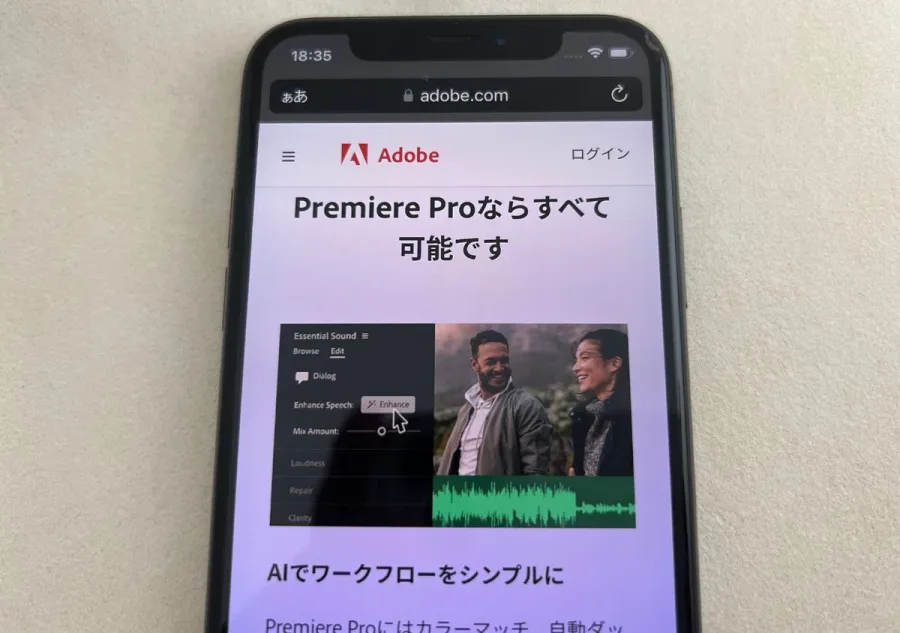
To conclude, there is no one-time purchase version of Premiere Pro.
What is being distributed are old versions
Used products may have malicious viruses installed
One-time purchase versions sold in online shops and the like are old versions, so we do not recommend purchasing them.
[Disadvantages of old versions]
Not compatible with the latest OS
Prone to errors during operation
In this chapter, we will introduce old versions of Premiere Pro and other Adobe products.
Adobe Premiere Pro CS6The first is "Adobe Premiere Pro CS6". Adobe Premiere Pro CS6 is software that was released in 2012.
Adobe stopped offering one-time purchase versions in 2012 and completely transitioned to subscriptions, and CS6 has not received any updates since its release in 2012.
Therefore, it is basically not compatible with Mac, etc., and may not be suitable for current video file formats.
Since Adobe has also ended support for CS6, if you want to edit videos comfortably, you should consider purchasing a subscription.
Adobe Premiere ElementsThe second is "Adobe Premiere Elements".
This is video editing software designed so that even beginners can easily enjoy video editing.
[Premiere Elements Features]
AI automated editing
Animated matte overlays
Double exposure and motion titles
Playback / reverse playback effects
Premiere Elements has a one-time purchase version, but the target user level is different from Premiere Pro.
Premiere Pro: For beginners to professionals
Premiere Elements: For beginners
Premiere Elements provides menu buttons and guides, so you can edit videos by following the steps.
However, since the editing format is fixed, a disappointing point is that you cannot adjust effects in detail like you can in Premiere Pro.
It is easy for beginners to use, but it is not suitable for those who want to create highly customized videos.
Explaining Premiere Pro pricing by plan
Premiere Pro pricing is as follows.
Annual plan (paid monthly): 3,280 yen / month
Annual plan (prepaid): 34,680 yen (2,890 yen per month)
Monthly plan (paid monthly): 4,980 yen / month
The most cost-effective individual plan for Premiere Pro is the annual plan paid upfront.
Premiere Pro offers a 7-day free trial.You aren't sure if Premiere Pro is right for you in the first place.
You are worried about wasting money if you subscribe and find it doesn't suit your needs.
For those who don't want to make a mistake in choosing software, we recommend using the 7-day free trial.
[Overview of the free trial]
The free trial lasts for 7 days from the date of registration.
You can experience the same features as the full version for free.
You will not be charged until the free trial period ends.
Compatible with both Mac and Windows.
The free trial is only available on PC or iPad.
Student and teacher discounts still apply after the free trial.
If you would like to try it out, please take advantage of the free trial version.
There are two ways to purchase Premiere Pro
I have explained the free trial version, but there are two ways to purchase Premiere Pro as follows.
① Purchase from the official Adobe website[Benefits of purchasing from the official Adobe website]
You can use the free trial.
The process from purchase to installation is simple.
You can use Premiere Pro immediately after purchase
Adobe official websiteWhen you purchase from the site, a Premiere Pro license is granted on the spot, so you can use the software immediately after installation.
This is the recommended purchase method for beginners because the process is smoother than the package versions sold on Amazon and other sites.
② Purchase on AmazonAmazonOnline shops such as these sell two types: an "online code version" and a "package code version".
[Online code version]
You can install the software immediately after purchase
Low risk of losing the passcode
Supports payment via credit card or Amazon gift card
[Package code version]
The code required for registration is printed on a card and sent to you
Cannot use the software immediately because it is sent by mail
Some software is not sold in online shops like Amazon
In conclusion, it is recommended to first use the 7-day free trial from the official Adobe website.
3 ways to use Premiere Pro at a great value
Premiere Pro has a free trial version, but since the period is effectively fixed, you cannot use it for a long time.
Therefore, I will explain three ways to use Premiere Pro at a great value next.
① Take advantage of Adobe's sale periodsAdobe holds regular sales and campaigns, making it possible to purchase at a lower price than the regular price.
Regarding sales, we have summarized them in detail in "Summary of Adobe CC sale information", but they tend to be held 4 to 5 times a year.
Sale and campaign information varies depending on the period, but since they are often discounted by more than 30%, this is the best time to aim for.
② Use Adobe CCI want to use not only Premiere Pro but also After Effects and Photoshop
It gets expensive if I subscribe to multiple single-app plans
A solution to these questions and concerns is the "Adobe Creative Cloud Plan (Adobe CC)".
Adobe CC is a complete plan that includes over 20 types of software and apps, including Premiere Pro, After Effects, and Photoshop.
Illustrator: 3,280 yen
(Illustrator)Photoshop: 3,280 yen
(Photoshop)Premiere Pro: 3,280 yen
(Premiere Pro)Adobe CC: 7,780 yen / month (*for annual plan)
(Complete Plan)
As shown above, if you subscribe to three types of software with single-app plans, it costs 9,840 yen per month, but the Adobe CC individual plan allows you to use it for 7,780 yen per month, saving you 2,060 yen every month.
In other words, if you use three or more types of software, Adobe CC is more cost-effective than subscribing to multiple single-app plans.
③ You can use Creative Cloud at a low price with the Student and Teacher EditionAdobe offers not only individual plans but also a "Student and Teacher Plan", allowing you to use the software at a significantly lower price than the individual version.
[Student and Teacher Edition]
Creative Cloud: 2,180 yen / month (tax included)
The Student and Teacher Edition can only be used by those who meet certain conditions.
13 years old or older
Educational institutions defined by the School Education Act (junior high schools, high schools, universities, colleges of technology, special needs schools, vocational schools, and miscellaneous schools)
Public vocational ability development facilities and vocational training corporations defined by the Human Resources Development Promotion Act
Government-operated colleges where degrees can be obtained
Also, when purchasing the student/teacher edition, you will be required to submit the following proof of eligibility documents.
Student ID / Student handbook
Certificate of enrollment
Health insurance card (limited to junior high school students)
If you are a student or faculty member and would like to use it, please prepare the above documents and apply.
Video editing software other than Premiere Pro that is sold as a perpetual license
I really want a perpetual license version
I only use it occasionally, so a perpetual license is more cost-effective
From here on, I will introduce recommended video editing software with perpetual licenses.
1. Final Cut ProFinal Cut Pro is professional video editing software developed by Apple exclusively for Mac.
It is characterized by intuitive operability and high processing performance, and is widely used by everyone from YouTubers to filmmakers.
It supports high-quality video such as 4K and HDR, and is packed with advanced features such as effects, color correction, and multicam editing.
The perpetual license model (approx. 40,000 yen) that can be used long-term is also popular. It is the perfect software for those who want to create professional-grade videos with a simple interface.
2. FilmoraFilmora is video editing software for beginners developed by Wondershare.
With intuitive operability, a wealth of effects, and AI features, it is suitable for creating videos for YouTube and social media.
The free version allows you to try basic features, while the paid version enables the removal of watermarks and access to additional features.
There are both perpetual and subscription-based licenses available, which you can choose from based on your budget and needs.
It is compatible with Windows, macOS, iOS, and Android, and is supported by a wide range of users.
3. PowerDirectorPowerDirector is video editing software provided by CyberLink.
In addition to intuitive controls that are easy for beginners to use, it supports 4K and 360-degree video editing, as well as AI-powered background removal and subtitle generation. It offers both perpetual and subscription plans and is available on Windows, Mac, and mobile apps.
Summary
In this article, we explained whether a perpetual version of Premiere Pro exists, as well as its pricing and plans.
[Recap]
Premiere Pro is not sold as a perpetual version
Premiere Pro uses a subscription (monthly) model
Only older versions are available on the secondary market
Used products are not recommended due to the risk of virus infection
The most cost-effective individual plan is the annual plan (paid upfront)
The student/teacher edition allows you to use Adobe CC at a discounted price
Premiere Pro offers a 7-day free trial.
Since you can experience the same features as the full version for free, you can check how it feels to use before purchasing.
If you are interested, please give it a try.