“I can’t believe it’s this easy to make long-form videos…”
When I first used "FramePack," a video generation AI that runs in a local environment, I honestly couldn't hide my surprise. Even with low specs like just 6GB of VRAM, it can generate long videos of up to 120 seconds.
Until now, video generation AI was a high hurdle, often limited to creating only short clips of a few seconds or requiring expensive GPUs. But FramePack overturns that common knowledge.
What is FramePack AI? The full picture of the latest video generation technology
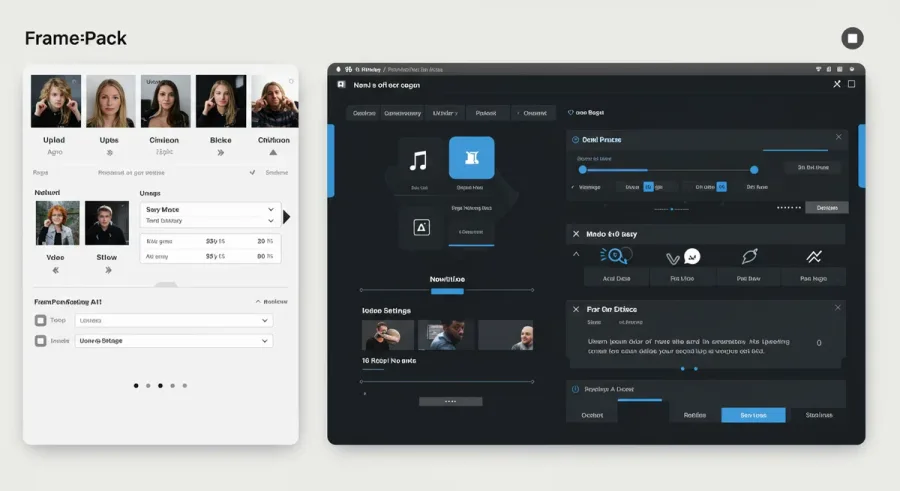
FramePack AI is a cutting-edge AI video generation technology that can produce high-quality, long videos with low hardware requirements. It is a new technology released just in April 2025 and has become a hot topic in the AI community.
The biggest feature of this technology is that it runs on common consumer GPUs with only 6GB of VRAM (such as the Nvidia RTX 30XX, 40XX, and 50XX series) and can generate videos of up to 60 seconds at 30fps without any loss in quality or increase in computational cost.
This tool, released on GitHub on April 17, 2025, by developer lllyasviel—who also developed "ControlNet" and the Stable Diffusion WebUI "Fooocus"—instantly set the AI community abuzz.
It has solved the triple threat of "heavy, short, and inconvenient" that plagued conventional video generation AI, allowing users to create videos with the same ease as image generation.
Core technical features of FramePack AI
Why can FramePack AI generate long videos even with low specs? The secret lies in its unique technology.
The core technical features are that it overcomes the limitations of conventional video generation by utilizing smart frame compression and bidirectional sampling. Specifically, it adopts the following technologies:
Progressive Frame Compression: Applies higher compression to less important frames, optimizing memory while retaining critical details.
Anti-Drift Sampling: Uses bidirectional context to generate frames, avoiding error accumulation and maintaining visual fidelity.
Fixed Context Length: Compresses based on frame importance, maintaining a constant computational load regardless of video length.
Technically, it is an improvement on the existing video AI "HunyuanVideo" that incorporates a proprietary technology to "predict the next scene." While conventional video generation AI would see memory consumption continue to increase as longer videos were created, FramePack effectively compresses past video information, allowing it to process one minute or ten minutes with roughly the same amount of memory.
Furthermore, FramePack AI is compatible with existing pre-trained video diffusion models and operates through fine-tuning, so no retraining from scratch is required. It has high training efficiency, supports large batch sizes, and reduces training time compared to conventional video diffusion methods.
In addition, it is provided as open source under the Apache 2.0 license, allowing for community contributions and easy integration.
Installing and using FramePack AI
Installing FramePack is surprisingly easy. Since the author, Illyasviel, has created a one-click package, no complex configuration is required.
Installation StepsAccess the FramePack GitHub repository and click "Click Here to Download One-Click Package (CUDA 12.6 + Pytorch 2.6)" to download it.
Extract the downloaded file (.7z format).
Double-click and run "Update.bat" inside the extracted folder.
Once the update is finished, double-click "run.bat".
The necessary models will be downloaded, and the UI will automatically appear in your browser.
Using FramePack AI is very simple, and you can generate videos in the following four steps:
Upload an image or video: Upload a photo or initial video frame to start the animation.
Select settings: Customize the output by selecting the video length, frame rate, and style options.
Generate video frames: FramePack AI generates frames using advanced compression and anti-drift technology in real-time.
Preview and download: Watch the video being built in real-time, then download the high-quality animation.
It seems that more detailed control is possible when using the API, but on the Gradio demo Web UI, only TeaCache on/off is available. Turning off TeaCache requires about twice the processing time, but in some cases, it can yield higher quality results.
Actual usage experience and generation speed
So, what is it actually like to use FramePack AI? I will share my experience on a machine equipped with an RTX 4070.
Regarding generation speed, when using an RTX 4090, FramePack generates frames every 1.5 to 2.5 seconds, providing real-time feedback. On my RTX 4070, it is slightly slower, but still at a very practical speed.
There are reports that when used on an RTX 3060 12GB on WSL2, it takes about 4 to 5 minutes to generate 1 second of video at 832x480 resolution. Developers have also reported that generating a 30-second video requires about 30 minutes of processing time even on an RTX 4090.
Despite running locally, the performance is comparable to commercial cloud services, which is amazing. I also think the fact that it is basically an uncensored model is commendable. Recent AI models refuse too much unnecessarily.
This is a review from a Japanese user, and I agree. You can generate videos of quality that is in no way inferior to commercial services.
What impressed me most was how it resists breaking down even in long-form videos. In conventional AI video generation, images tend to collapse or character consistency is lost as the video gets longer, but FramePack has significantly improved this.
When I actually compared a 10-second video generated from the same prompt and image with conventional tools, the difference in image quality was clear. FramePack achieves output with less frame-by-frame breakdown, offering greater stability in hair movement and contours.
The surprising extension: "FramePack-eichi"Even more surprising is the speed of community-driven extensions. Shortly after the original FramePack was released, an extended version called "FramePack-eichi" (Eichi, Endframe Image CHain Interface) appeared.
This extended version adds more advanced features, such as multi-keyframe support and prompt settings for each section. This has enabled more complex storytelling and expression.
Use cases and potential of FramePack AI
In what scenarios can FramePack AI be used? Here are some of the possibilities I felt after actually using it.
Streamlining creative productionIn the production of short animations and music videos, prototyping from storyboards to actual footage becomes significantly faster. Because you can quickly shape and verify ideas, the creative process is greatly streamlined.
Creating educational and explanatory videosYou can create videos that explain complex concepts or procedures without professional video production skills. This will likely significantly reduce production costs for educational content and product explanation videos.
Enhancing SNS contentYou can easily create video content for social media platforms such as Instagram, TikTok, and YouTube. Information that is difficult to convey with still images alone can be communicated more effectively by adding movement.
However, at this point, there is still room for improvement in the naturalness of human movement and facial expressions. Especially in action scenes, movements can sometimes be unnatural, so it is necessary to use it selectively depending on the purpose.
Future prospects and challenges of FramePack AI
FramePack AI is a technology that has just appeared, but it already shows great potential. Let's consider its future prospects and challenges.
First, the speed of community-driven extensions is remarkable. Just a few days after the original release, extended versions like "FramePack-eichi" appeared, and a Mac-compatible version is also being developed. We can expect development that leverages the strengths of open source.
As for challenges, there is still room for improvement in generation speed. There are reports that even with an RTX 4090, it takes about 30 minutes to generate a 30-second video, so we are still far from real-time generation.
Also, there is room for improvement in the naturalness of human movement and facial expressions, as well as the expression of specific actions. These will likely be resolved through future model improvements and fine-tuning.
Furthermore, we can expect the enhancement of features that enable more complex expressions, such as multi-frame prompt processing and storyboard-based generation. In fact, some of these features have already been implemented in 'FramePack-eichi'.
Conclusion: Will FramePack AI open a new era of video generation?
FramePack AI is a revolutionary tool capable of generating high-quality, long videos with low hardware requirements. The fact that it can generate videos up to 120 seconds long with just 6GB of VRAM defies the conventional wisdom of traditional video generation AI.
Through proprietary technologies such as progressive frame compression and anti-drift sampling, it achieves high-quality video generation that remains consistent even over long durations. Additionally, because it is provided as open source, extensions and improvements by the community are progressing rapidly.
When actually using it, I was able to generate videos with quality comparable to commercial services, and the lack of artifacts, especially in long-form videos, was impressive. Various use cases can be envisioned, such as streamlining creative production, creating educational content, and enhancing social media content.
Although there are still challenges, FramePack AI has the potential to open a new era of video generation. If you are interested in AI video generation, I highly recommend giving it a try.
For more details, please check the framepack official website.