Introduction
I recently had to migrate my computer data, and during that process, Blender was reset, so I lost track of what I was using. I am recording it here as a memo.
The version I am using is 4.5.1 LTSFor those not in Extensions, I will provide the links.
Extensions are open-source add-ons that can be installed directly within Blender, a feature added in Blender 4.2.
They cannot be used in versions earlier than 4.2.
Extensions - Free -
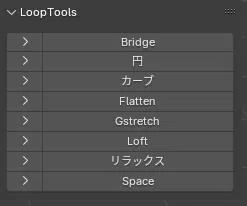
1. LoopToolsA well-known, convenient tool.
I think it's synonymous with 'beginners should install this first.' Honestly, I can't model without it...!
It's a versatile add-on that lets you relax vertices, space them evenly, turn them into circles, and much more.
Details here ↓
Normally, you can create faces with the F key, but this add-on enhances that.
If you select at least two vertices and press the F2 key, it will create a clean face. It's useful because it creates clean faces not only in holes but also in areas that aren't holes!
Details here ↓
Supplementary note since this is a 2020 article:
The name in Preferences has changed from MeshF2 to just F2.
Textures, video clips, sounds, libraries, and cache files.
An add-on that updates all or some of the above every few seconds.
I use Substance 3D Painter and Clip Studio, so it's super inconvenient without this!
I haven't tried it myself, but it seems that if you set Clip Studio to auto-save, it reflects almost in real-time.
If you draw textures externally, it might be worth installing! Of course, that goes for others too, right?
Details here ↓
A newcomer that suddenly appeared in 2024.
I've reached a level where I can't do UV unwrapping without this anymore. Surprisingly, it's fully supported in Japanese!
It has so many features that if I go into detail here, it would be endless, so I'll skip it for now. I want to write an article about it someday.
Details here ↓
A supplementary add-on.
It makes it easy to apply all modifiers at once (though not possible if there are shape keys), open or close them all, or delete them all. It's surprisingly super convenient.
In some cases, I have a lot of modifiers like Mirror, Subdivision Surface, Cloth, Solidify, etc., so being able to apply them in an instant is a real lifesaver!
If you use a lot of modifiers, you might find it useful to have this installed.
Details here ↓
An add-on I used until Mio3 UV came out. I still use it occasionally.
Honestly, what it can do is almost the same, so feel free to use whichever you prefer!
By the way, the reason I use it occasionally is for the normalization item. I don't really know what the effect is, but it makes things look a bit nicer.
Details here ↓
7. Texel Density Checker Added 2025/07/16If you want to solve the phenomenon where you think, 'Why is the resolution high over there but low here?', this is for you. It's an add-on that makes UV density uniform.
Different resolutions can feel unnatural, so if you try using this, you can make things look really clean. I probably couldn't live without it.
Details here ↓
This one is for donations ↓
https://superhivemarket.com/products/texel-density-checker
8. Mio3 Copy WeightAn add-on that allows you to copy vertex weights even between different meshes.
It's a huge pain to separate them after joining, so this is super convenient! It really hits the spot!
It only does copying or normalization, so you have to use the standard tools to adjust the values. Just be aware of that.
Details here ↓
Extensions-Paid-
These are add-ons that appear in Extensions after you purchase and install them.
1.Simply Cloth Studio
An add-on that makes cloth simulation smoother.
(It doesn't make the simulation itself lighter.)
It drastically reduces the steps required to get cloth moving, lowering the barrier to entry significantly. As of now, it's my number one most recommended purchase of 2025!
You can make plenty of things like cushions in under 5 minutes. Just buy it! Even if you wait for a sale, just get it!
The old name was Simply Cloth Pro. It seems the name changed along with some features and the UI. It looks like support for Pro has ended, so I recommend using the Studio version if you purchase it.
Though, I personally find the Pro version easier to use... (just my personal opinion).
Purchase URL below
An add-on that neatly fits unwrapped UVs into the frame.
It also supports packing to UDIM tiles.
Packing for textures is great, but I often use it when creating lightmap UVs.
It supports Japanese... partially, but since it's mostly not supported, I honestly don't know what some things do. Therefore, I recommend using the next add-on in conjunction with this one.
By the way, be careful because by default, the UV size will change during packing.
In the image
・Fixed Scale
by checking this box, you can pack without changing the size.
It's up to your preference, but
・Rotation Enable
if you turn this off, it won't rotate, so you don't have to worry about the orientation you carefully set getting messed up.
I didn't use this add-on until I realized this. It's god-tier.
Purchase URL and what it can do below
This is an add-on that translates the aforementioned UVPackmaster 3 into Japanese.
It's not an Extension, but it's incredibly convenient to have, so I recommend 90% of you install it. The other 10% are people who can read English.
Only after installing this did I start using UVPackmaster 3 properly. The language barrier is huge.
It can translate not only UVPackmaster 3 but also the following:
・BSurfaces
・LoopTools
・Node Wrangler
・Send to Unreal
Purchase URL below
Regarding this, the add-on itself does not contain the translated data.
ja_addon_translate_file_2022-04-15
Please download the file with this name additionally. Once downloaded, follow the steps in the article below to install it.
How to install it is here below
External Add-ons-Free-
1.Adjust Edges LengthThis is an add-on that averages the lengths of selected edges.
When I'm editing models, I often find myself wondering, 'Did the thickness change!?' so I use this extremely frequently!
Since it averages them, I sometimes wish it would align them to the last edge selected.
Support is for 2.9 and later, but it works perfectly in 4.3, so I hope to keep using it for a long time!
Where to purchase ↓
2. Bone Numbering Tool / Bone Numbering
A tool that changes bone names in bulk. Note that it does not change vertex groups, so be careful.
I installed this when I had an incident where the bone sequence numbers got all mixed up.
If the sequence is already correct, you can select all bones you want to change and press F2 to rename them, which will also change the vertex groups in bulk, but if you don't care about vertex groups, I recommend this one!
After all, once you decide on a pattern name, it's just a click of a button!
Where to purchase ↓
It has so many things packed in, it's super convenient! The explanations are in Japanese, so it's easy to understand.
I mainly use the feature that turns edges into bones.
It turns selected edges into bones and even creates a root bone, so you can easily create swaying objects!
However, a friend using 3.6 said they couldn't install it, so it might not be installable in some cases. Maybe an add-on conflict?
Download link ↓
A simple add-on that deletes unused vertex groups.
Just be aware that it doesn't seem to delete them if there is even 1 weight assigned.
The 'gret' tool mentioned later also has a similar function.
Where to purchase ↓
5.gretIt cannot be used if you are using the Vulkan backend in Blender 4.5 or higher.
If you want to use it, switch back to OpenGL.
An essential add-on I personally can't live without.
Seriously, install it. It's free!!
The ones I use often are
・Relax Loops (aligns UV edges to the mesh)
・Swap UV Maps
These two are the main ones, but there are way too many other useful things in it.
I really recommend it. Please, just install it.
You can choose what you need in the preferences.
Download link↓
Blender allows you to hide things using the H key by default, but this hides only the vertices, so the mesh remains visible.
This is incredibly convenient! Being able to see things is important after all.
The operation method is Ctrl+Shift+H to hide. To unhide, use Alt+H as usual.
Purchase link↓
An add-on that lets you do various things related to bones.
I only use it for
・Equalizing bones
・Aligning bones,
but recently I've also been using the one for renaming bones.
Since it supports Japanese, it's nice that there's less to worry about~!
Download link↓
8.Shape key 1 and 0 inverter/Shape to BasisA simple add-on that just inverts the 1 and 0 of shape keys.
It's super convenient because there are quite a few times when I think, "I wish this were reversed!"
For reference, it's useful when you want to make a hidden shape key the basis. I've made several models using this; it's an unsung hero!
Purchase link↓
I found this add-on when I wanted to organize shape keys into folders because managing them was a pain. By the way, it also supports Japanese! The instructions are at the bottom of the download page.
If you export to Unity while they are still in folders, shape keys with the folder names will be generated. It might be a good idea to use symbols or hyphens to make them easier to understand!
Download link below
There is a paid, superior version called Shape Keys++.
It's included in Blender by default, so just enable it in Preferences!
I honestly couldn't do UVs without this.
It has features equivalent to Mio3UV found in Extensions, but it also has a god-tier tool called Mesh UV Tools.
This generates a mesh with the mesh <-> UV registered as shape keys... It's very complicated, so please watch the video below!
Why isn't this on by default? They should enable it from the start!!
11. SKKeeperAn add-on that applies modifiers while maintaining shape keys.
If you use shape keys, I don't think you can live without this. Because even I, who don't use them much, can't live without it!
There's no downside to installing it; in fact, installing it is a benefit in itself. Let's install it. Quickly!
Download link below
An add-on that is convenient to have for shape keys, such as synchronizing shape keys with other objects or adding shape keys for Perfect Sync.
Isn't it incredibly convenient to be able to replace shape key names? I used to do it from scratch until now.
You don't have to install it, but it's an add-on you'll use occasionally if you do. Recommended!
Download link below
Using β3.0.0
When it first came out, I mainly used it for collection synchronization and presets, but since the version has gone up from the above, more features have been added, so I'm introducing it.
Anyway, you can do almost anything related to shape keys.
For those making avatars, being able to do things like symmetry or just right/left side only seems really great. I haven't used those parts yet, so I'm not sure.
What actually impressed me was that it became easier to manage with grouping and active keys. I was using Shapekey+, but I switched over to this one!
It's still in beta, so I'm looking forward to the final version of this add-on.
Download link below
I installed this add-on because the order of the sidebar became disorganized and hard to use after repeatedly turning add-ons on and off.
The locations change depending on the order of installation and toggling on/off, but installing this makes it organized and super convenient.
Load with the reload button above the check button, and apply with the check button. It's just that simple.
Download link below
An add-on that easily handles drop physics (rigid body and cloth).
It's easy just by pressing the V key! It even handles collider settings automatically for you.
It's very convenient to be able to do with one key what used to take a process of setting up rigid bodies, setting up colliders, and so on! I'm glad I installed it.
It is paid on Blender Market, but you can download it for free by pressing HERE in the product description. It's meant as a support version, so buy it if you can afford it!Download link below15.RM_SubdivisionSurface Added 2025/07/16
It's more of a geometry node than an add-on. If you register it in the asset library, it will appear in the same column as modifiers.
It allows you to tweak subdivision surfaces in more detail.
What I use often is Volume Control; it eliminates the thinning that happens when you apply subdivision! This is quite good. Once you get used to it, you can't go back.
Download link below
16. Modifier Set *Added 2025/07/16An add-on that lets you register frequently used modifiers.
It seems you can also register geometry nodes that have been added to the asset library. Note that it doesn't save the internal settings, so it's strictly an add-on for applying modifiers with a single click!
It's surprisingly convenient~!
Download link below
17. Vertex Group Merger *Added 2025/08/16A tool that merges weights.
I use this a lot because it's super convenient when you want to reduce bones later on.
Using this in combination with the paid add-on Bone & Weight Splitter makes adding or removing bones incredibly fast. It's the best!
Download link below
External Add-ons - Paid -
1. Auto Mirror EXThis is an enhanced version of the Auto Mirror feature found in Extensions.
I use this one, so I didn't introduce it in the Extensions section.
It's a handy add-on that deletes the mesh on the mirror side and adds a mirror modifier in one go.
The 'mirror mirror' feature at the bottom is quite fun!
In short, it mirrors the object itself. Once you use this, you won't be able to go back to the standard one... hehe.
Purchase link below
2. Kiseru / Cloth ToolboxA tool that allows for easy weight transfer.
It seems to include Unity tools as well, but I don't use those. Or rather, since this is a memo for Blender add-ons, I'll omit them.
It's a tool designed for transferring weights for clothing, but it can be used for other things too. It feels like a superior version of the standard data transfer for weights.
One thing to note is that it sometimes doesn't transfer correctly if you are using collections.
The solution is to place the source collection inside the collection containing the model you want to transfer to.
It's working well for me so far.
Purchase link below
An add-on that adds a mirror function to lattices, which isn't possible by default.
It's so useful that I almost get angry wondering why this isn't a standard feature!
At the very least, I think anyone who uses lattices or wants to perform deformations will benefit from purchasing this add-on.
Not only does it have mirroring, but 'Setup Lattice' lowers the barrier to entry and makes things so easy that you should use it frequently!
However, be aware that even if you select multiple objects, it won't create a single lattice for all of them combined. It only creates modifiers and lattices for the last selected object. You'll have to handle that part manually.
Purchase link below
An add-on that anyone selling outfits for VRChat should buy.
Also recommended for those who do modifications in Blender.
A tool that converts the bone names and vertex groups of the outfit to match the base body and merges them.
It's great that it handles vertex groups, but it also maintains the parenting and attaches them to the base body's bones, which is super convenient! Especially recommended for those with many physics bones.
However, constraint bones, chest bones, and Hips physics bones will attach to the base body as part of the outfit, so I recommend deleting those before using it.
Conversely, if you want to use them, it's fine to leave them!
Purchase link below
An add-on that makes weight painting for things like physics bones easier.
It paints more accurately than auto-weights.
I often use weight transfer from low-poly weights, so I use this to set those weights.
Note that it does not perform automatic normalization.
Purchase link below
5. N Panel Sub Tabs *Added 2025/04/01An add-on that organizes the sidebar.
I bought this because the number of tabs increased as I added necessary items recently, and SIMPLE TABS couldn't keep up.
Instead of the tabs becoming vertically long, you can switch between them using the area under the SUBTAB, so I'm personally quite satisfied! It feels good when things are organized, right?
One thing to note is that tools already inside sub-menus, like Edit-LoopTools, cannot be categorized. It only organizes tabs, so please be aware of that.
An add-on that splits bones along with their weights.
It's so useful that I can't imagine adding bones without it anymore. Just paint once, split, and blur the weights, and you're done. Wow, so convenient!
I think it's useful for anyone who adds even a few bones to have this later on. Highly recommended.
BOOTH↓
Superhive Market (formerly Blender Market)↓
https://superhivemarket.com/products/bone-and-weight-splitter
In Closing
These are the add-ons I have installed.
There are some I have installed but disabled, but I didn't introduce them since I basically don't use them once disabled.
I've been playing around with the add-ons I've installed lately, so if I'm in the mood, I'll write an article about them then.
Thank you for reading this far!
And I'll leave a list of add-ons I want so I don't forget.
I'll update this when I buy them. See ya.
Add-ons I want (kept quiet so they don't appear in the table of contents)
1. Physics Dropper
Something that sets up rigid bodies easily
2. Ngon Loop Select
Something that allows loop selection even on N-gons
3. Retopo Planes
Something that retopologizes nicely when you use things like Marvelous Designer.
It seems to be set up via UVs. It might also be useful with Simply Cloth or Garment Tool.
4. Tracegenius Pro 3.2
Something that cuts out images and turns them into models.
I can't think of a use for it yet, but it seems useful to have.
5. Garment Tool
Something that lets you make clothes like in Marvelous Designer.
Unlike Simply Cloth, Garment Tool is the type where you create from patterns.
It forces everything into triangular polygons, so retopology is essential, but if I use the Retopo Plane mentioned above, it might be practical?
6. Fluid Painter
A tool that lets you paint liquids with a pen.
Liquid simulations are a hassle, so...
7. Stylized Hair Pro
A tool that helps with hair modeling.
I don't really work with hair much, but you'd want it just for being able to make braids easily, right?
I wonder if it can only make that overseas-style clay look? That's what I'm a bit curious about.
8. shape-keys-checker
An add-on that allows you to select vertices moved by shape keys.
It solves the problem of it being a pain to select them when you've combined all meshes for optimization.
I have it installed but haven't used it yet, so I might add my thoughts later.
9. Bake Normals To Vertex Colors
An add-on that bakes vertex colors for liltoon outlines.
I got stuck on what 'vertex color baking' even meant, tried using it, but didn't really understand it, so it's in this position. I'll write my thoughts if the day comes that I actually use it.
https://github.com/takecccc/BakeNormalsToVertexColors
10. Mio3 Mesh Tools
An add-on that lets you manipulate meshes with spline curves.
I thought this was amazing and installed it, but I haven't put it to practical use yet, so it's in this position.
I'd like to play around with it once the documentation is ready.
https://addon.mio3io.com/#/
That is all.