■ What you will learn in this article
!
I use Google Calendar not for schedule management, but as a space to take notes on things I've looked up.
The content written includes things like the medicine I took or my physical condition, depending on the day. Sometimes it just says "Calonal" for days on end.
……So, when I look at the calendar, what I was working on at the time is immediately obvious. When I look back at it in a few years, I'll probably think, "Ah... I was doing this then."
My favorite way to use Google Calendar
Google Calendar can record a significant amount of text. It is excellent not only for schedule management but also as a note-taking tool. There might be many people who use it that way as well.
In my case
1. Add an eventI add an "event" rather than a task. I don't specify a time, making it an all-day event. I scroll down and write my notes in the details field. Copying and pasting long text is also fine.
I choose the color displayed on the calendar to make it easy to understand by theme. You can choose a color by clicking the colored circle right above the notes field.
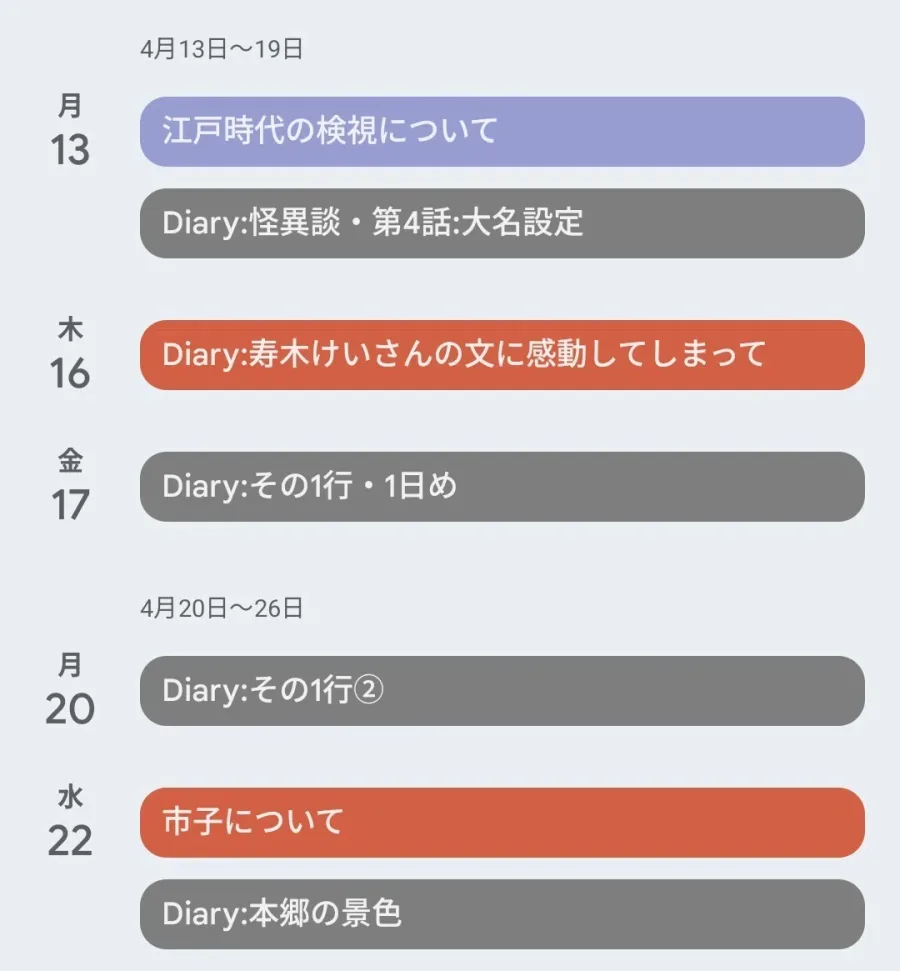
When I leave notes, I save the date and title in Google Keep. Since it's in a list, it's easy to find information. I display this list in an easy-to-see location in Keep. The image below is a part of it.
In addition to these notes, I summarize information where overview is important in an analog notebook.
Using Google Calendar and Google Keep together is convenient for quickly referencing notes.
It is recommended if you want to leave notes with a large amount of information.
Bonus
By the way, the note I left for "Nobuharu Baba-niki" is a note I saved because it was funny when I asked Google Search to "introduce him like an idol."
The content is something like this.