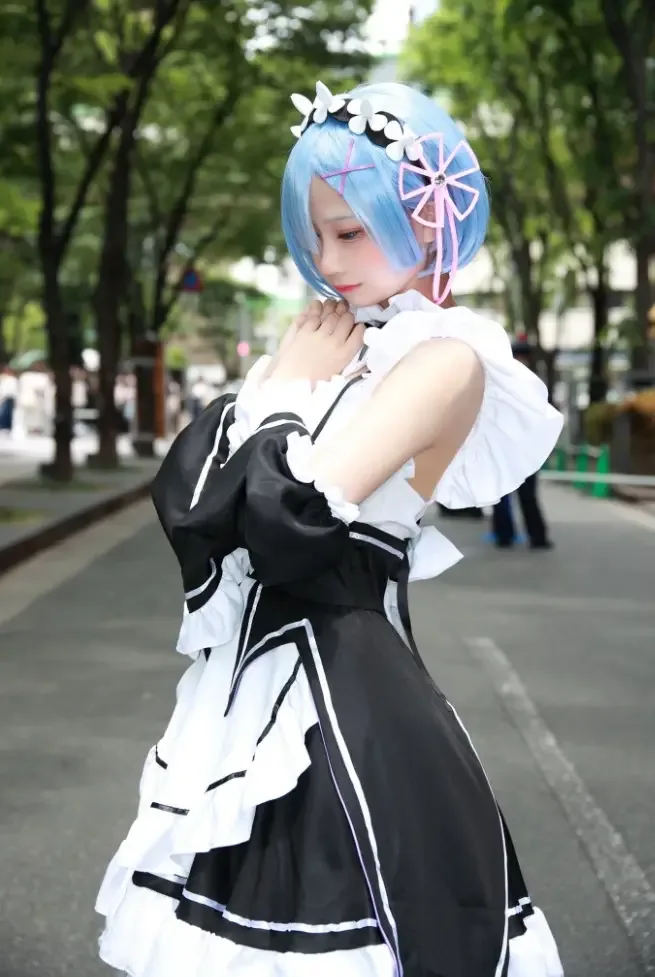
Suddenly, have you ever had an illustration of a character you love and thought, "I want to make this child dance! But I don't want to change the art style or facial features..."?
"No, that's impossible, right? Wouldn't the picture fall apart if you move it?" you might think. But actually, with current AI tools, that is surprisingly possible.
It's called FramePack. And when you add LoRA (Low-Rank Adaptation) to it, an interesting magic happens: "teaching new movements while keeping the design as is."
In this article, I will introduce how FramePack treats the initial frame (the first image) with great care to faithfully preserve the character's appearance until the end, and what kind of movements you can teach it using LoRA. For example, not just dancing or walking, but also facial expressions and camera work...!
"What does this mean?" you might wonder. Well, if you read on, I'm sure an "illustration you want to move" will come to mind. Let's explore the secret right away.
FramePack Basics: Protecting the Charm of the First Frame
FramePack is a type of AI model used for video generation, but its major feature is that it "uses the initial frame (the first image) as an axis to predict future frames from there."
What this means is that while ordinary video generation models often treat consecutive frames with similar weight, FramePack has a mechanism that treats the first frame with extreme importance and reliably conveys that information to the next frame. Specifically, by using "detailed information for the initial frame and recent frames, and rough information for older frames," it works to prevent deformation of the character's appearance (so-called drift).
For those who don't get it, think of the first image as the "original blueprint." Since FramePack generates the next frame while constantly referring to that blueprint, the color of the clothes, the contours of the face, and the art style are less likely to blur even as time passes.
"But if you move it, won't it eventually fall apart?" you might ask. FramePack handles that well. In other words, it leaves "how to move" to the model, but it checks the first picture every time to protect "who is moving." This is the most important point.
Even if you add movement with LoRA, won't the style break?
Furthermore, this is where LoRA comes in. Think of LoRA as a "small learning module that retroactively adds new knowledge to a large model."
FramePack itself has the power to "generate video while maintaining the character's appearance," but it is difficult to learn specific movements (dancing, gestures, camera work, etc.) from scratch in large quantities. Therefore, if you teach only those movements to LoRA, you can easily add new motions with "original model + LoRA."
The movements you want to teach LoRA are truly varied. For example:
Full-body action
Dancing, walking, running, martial arts stances, etc. There are also examples of teaching a boxer's movements, such as throwing a punch, with a "Boxing LoRA."Gestures and small movements
Movements like blowing a kiss, waving, clapping, nodding... For example, using a "BlowAKiss" LoRA makes the character naturally bring their hand to their mouth and blow a kiss.Facial expression changes and idol motions
Hair swaying, blinking, smiling... Even if it doesn't move much, just a slight change in expression changes the impression completely, right?Camera work and direction
Shooting techniques such as wanting the camera to circle around, zoom in/out, or pan quickly like a 70s kung fu movie can also be learned with LoRA.
No matter which movement you include, FramePack "defends the visuals of the initial frame to the death," so even if LoRA teaches the movement, it cannot rewrite the character's design. As a result, you can generate a video that gets the best of both worlds: "looks intact" and "movement as taught by LoRA."
How to make a motion LoRA? Necessary data and steps
"But doesn't making a LoRA require difficult training again?" you might think. Of course, it's hard to make one without knowing anything, but actually, tools and know-how that can be used in the community are quite well-established. Here, I will roughly explain the flow.
● Choosing data for learningIf there is a movement you want to teach LoRA, prepare several video clips or sequential frame images showing that motion. For example, for a "spinning dance" LoRA, cut out short videos of a dancer spinning and collect several of them.
You might ask, "Is one video enough?" but if you do that, the learned movement will be too pinpointed and won't have much versatility. It is better to have some variation with multiple videos so that it can firmly learn the "concept of this movement."
Also, while you might want to match the taste of the video depending on whether the character's appearance is realistic or anime-style, it is not mandatory. There are examples of using live-action videos to learn only the movement and finally applying it to an anime character.
Captions (text labels) also make learning smoother. If you add text that concisely describes the content of the video, you can link "this movement when you see this phrase." However, it is best not to include too many style or character proper nouns, and something like "(e.g.) character is spinning in a dance" is best. Since you want to learn "movement" after all, try not to mix in unnecessary elements.
● Environment setup for FramePack LoRA learningTo incorporate LoRA into FramePack (based on Tencent's HunyuanVideo), use a corresponding training script.
Commonly used ones include Musubi Tuner (a modified version of Kohya SS) or the FramePack-compatible branch of diffusers/diffusion-pipe. The flow is something like this:
Load the base model
Prepare a combination of the HunyuanVideo base model and a custom Transformer for FramePack.Dataset configuration
Specify videos, sequential images, and captions. Also perform fine-tuning such as resizing to a resolution that FramePack can process.Adjust training parameters
Set the LoRA rank (e.g., 16 or 32), learning rate (around 1e-3 is a good guideline), etc. Since it handles video frames, memory consumption is high, and it is difficult to process large batches at once, so it is common to proceed with smaller batches.Run for a few epochs and check
Train for a few hundred steps, then test to see if the motion has been learned. The trick is to stop at an appropriate point, as over-training can lead to rote memorization of specific frames and the appearance of strange noise.
Some scripts use techniques such as randomly shuffling frames or shifting the time series. This is a way to "avoid simply memorizing the order of the video." In any case, the point is to provide videos with the goal of "wanting to learn the motion."
● Get the LoRA file after trainingOnce training is successfully completed, the LoRA will be output in a format such as .safetensors. For example, if it is a "rotation motion LoRA," the filename might be rotate.safetensors.
If you load this when performing inference (video generation) in FramePack, you can give your character a new rotation motion.
Inference using FramePack x LoRA: How to actually animate?
Once you have the trained LoRA, it is finally time for the inference phase.ComfyUIandFramePack Studioare popular as the main frontends.
The setup steps are slightly different, but the tasks are almost the same:
"Load the FramePack model -> Select or load the LoRA -> Prepare the initial frame and prompt to generate the video"
is the flow.
ComfyUI is a powerful node-based UI where you insert FramePack nodes and a "Select LoRA" node.
In the LoRA node, it is recommended to set fuse_lora to true to merge it with the model. This is said to make the LoRA more effective during the generation process.
It is also possible to chain multiple LoRAs. You can layer a "dance LoRA" with an "expression change LoRA," but be careful as their motions may interfere with each other. If the LoRAs are too strong, one may disappear or the motion may break down.
In the prompt (text input), write "what kind of movement you want" in natural language. For example, if it is a LoRA where "the camera pans to the right to show another character,"
"[Character description]. The camera pans to the right to reveal the scene."
It is effective to include words close to the phrases used during training, like this.
Then, set "this character's image" as the initial frame. With just this, a video will be produced where "a character with the same appearance reproduces the camera pan motion."
As an option, you can also choose whether to provide anend frame(an image specifying the final state). If you want to move significantly in a continuous manner, it is often easier to get dynamic results by not intentionally deciding the end. However, the posture at the end may be slightly shaky, so that is a matter of preference.
Adjusting the "LoRA strength (weight)" is also a key point. It is good to fine-tune it by using 1.0 as a baseline, raising it slightly if you want more intense movement, or lowering it if the character's face collapses.
FramePack Studio is a Gradio-based GUI. If you put the LoRA file in the loras/ folder, you can select the LoRA on the screen after startup.
You can load multiple LoRAs at the same time and adjust the strength of each with a slider. The method is not as flexible as ComfyUI, but it is simple and easy to handle.
Furthermore, FramePack Studio also has a "prompt with timestamp" feature, so you can change the prompt in the middle of the video. You can build scenarios like starting to walk after 3 seconds, or stopping once and then starting to run again. This is an attractive feature for those who want to create complex scenes.
Match the initial frame and the prompt
If the initial frame is a "girl in a red dress" but you write in the prompt that "a man in armor throws a punch," FramePack and LoRA will be confused about which one to follow. If you want to maintain the appearance, try to keep the prompt consistent with the initial image.Try different seeds and step counts
Since diffusion is influenced by random numbers, different videos may be produced even with the same settings. It is also a good idea to regenerate several times until you get the movement you like, or to adjust by increasing the step count (number of inference iterations).The initial pose is also important
A motion that suddenly jumps from a sitting picture might look a bit unnatural. If you prepare a pose that is easy to move from to some extent at the beginning, the movement will come out smoothly.Check the trigger words
Depending on the LoRA, it may be difficult to draw out the motion depending on the caption at the time of training, such as needing to include the word "spin" to get a rotation motion. Be sure to review the author's explanation and your own training settings.Fine-tuning LoRA strength
"If the LoRA effect is too strong, the character gets distorted, but if it's too weak, there's not enough movement"... This dilemma is always there, so finding the right balance is good.Forward-only or bidirectional inference
FramePack has a forward mode that generates sequentially as "1→2→3..." and a bidirectional mode that "fixes the first and last frames and fills in the middle." While the forward mode offers more freedom in movement, it can sometimes blur in the latter half of the frames. You can choose between them depending on your needs, such as using the latter if you want to define the ending.
Conclusion: New motions, but the same character you know and love
Thanks to FramePack's careful handling of the initial frame, it's less likely that the character will break down or look like "someone else has transformed" when turning an illustration into a video.
The point here is that you can add new movements to that with LoRA. You can make them dance vigorously, just have them wave their hand a little, or move the camera for a cinematic effect. You can achieve "looks just like the original, but with new motions."
Of course, this technology has its limitations. There are limits to the length of video that can be created in a single generation, and it is still under research to achieve the perfect naturalness of complex, full-length animation.
However, being able to teach your favorite movements with little data while maintaining the character's design... that is quite revolutionary, isn't it?
For example, if you train a game character's illustration with LoRA for "running," "jumping," and "attacking," you might be able to generate videos that look just like official animation. And the fact that you can keep the "same art style" for everything is amazing.
To summarize:
FramePack firmly protects the character's appearance from the initial frame and generates each frame of the video
LoRA can be used to learn "new movements" freely, such as dancing, punching, or changing expressions
By combining them, you can create videos where "the look remains the same, but the movement is infinitely variable"
Doesn't that sound a bit interesting?
If you have a favorite illustration on hand, doesn't it get you excited to imagine, "What would happen if I made this character dance?"
If you want to try it out, look for introduction guides and training scripts for FramePack and LoRA. You will surely be surprised at the moment a still image comes to life.
References and Sources
Zhang, Lvmin et al. FramePack: Packing Input Frame Contexts in Next-Frame Prediction Models for Video Generation (2025) – arXiv preprint.
Rickard Edén (neph1), “FramePack LoRA Experiment” – HuggingFace Community Blog, April 19, 2025.
Using LoRA with FramePack in ComfyUI, Ichi’s AI Blog, May 11, 2025.
Yunomix, Training a Hair-Sway LoRA for FramePack, Note.com, April 2025.
HunyuanVideo with LoRA: Best AI Video Generator, MimicPC Blog, April 27, 2025.
Colinurbs, FramePack Studio – GitHub README (2025).
Toriniku, Training FramePack LoRA with Musubi Tuner, Note.com, April 22, 2025.
Ichi’s AI Blog, FramePack with start and end frames in ComfyUI, April 30, 2025.