Introduction
In a follow-up to my previous article, I wrote that I installed Stable Diffusion WebUI Forge - Classic using Stability Matrix.
When I updated this Forge - Classic, an error occurred and Forge - Classic wouldn't even launch.
I was able to launch it by reverting to the version before the update, but since updates will likely continue, I want to resolve the error so I can use it.
(Note: After finishing this article, I tried launching it again and it launched successfully. So, the parts relevant to this article are the installation of Neo and how to deal with the error.)
There was a note saying this.
Since the built-in Python for Stability Matrix is 3.10.11, I thought this might be the cause.
Also, looking closely at the same page...
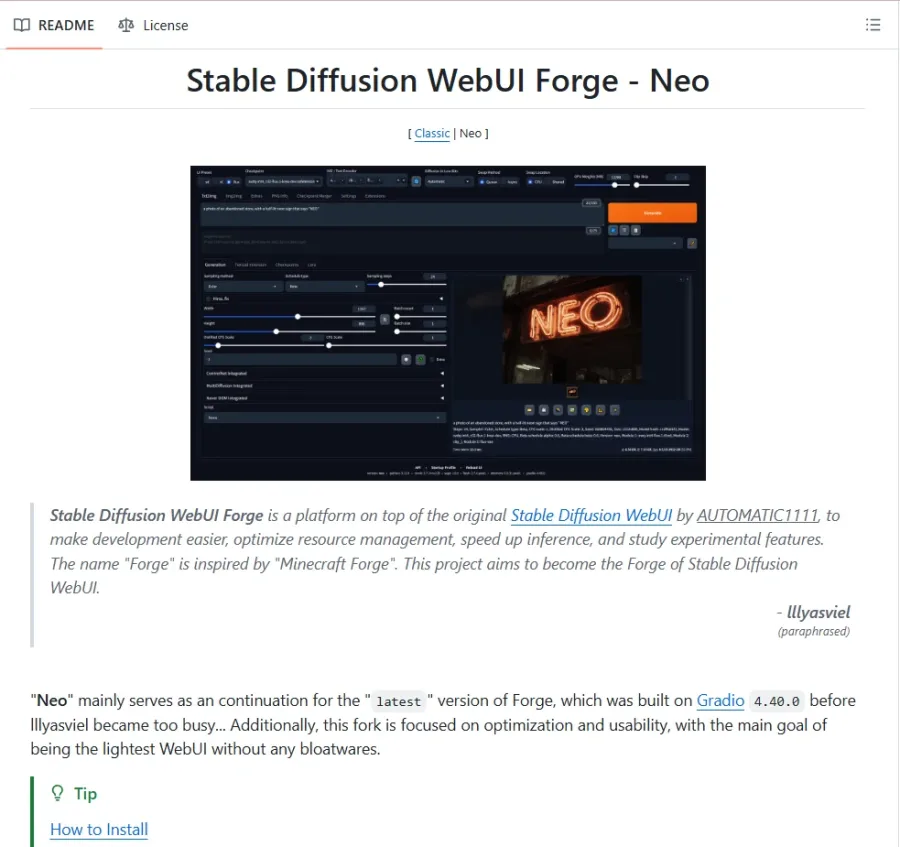
A page for the NEO version had been quietly added.
In other words, Forge - Neo is the continuation of the version of Forge that can use Flux.
You can also confirm the existence of Neo in Stability Matrix.
However, when I installed and tried to launch Neo with Stability Matrix,
RuntimeError: Couldn't install nunchaku.
(中略)
Error code: 1
stdout: ERROR: nunchaku-0.3.1+torch2.7-cp311-cp311-win_amd64.whl is not a supported wheel on this platform.
an error appeared and it wouldn't launch.
So, I realized I needed to be able to install Classic and Neo without relying on Stability Matrix, and this article records that process.
Note that the contents of this article were performed in the following environment.
CPU...Core i5-12400
RAM...80 GB (DDR4)
GPU...GeForce RTX 4070 SUPER 12 GB
OS...Windows 10 Pro
Furthermore, I assume no responsibility for any damages that may occur as a result of the information in this article.
Installing Forge - Classic by setting up Python 3.11.9 in a virtual environment
Official repository installation instructionsThis assumes that Python and git are already installed.
I built my environment using WinPython and Portable Git by following the article below. Using the batch files distributed there is very convenient as it allows you to launch a command prompt with Python and Git ready to use.
1. Once Python and git are ready, launch the command prompt and navigate to the directory (folder) where you want to install Forge - Classic.
2. Copy Forge - Classic using the following git clone command.
git clone https://github.com/Haoming02/sd-webui-forge-classic
3. Since uv, a Python package manager that has been gaining popularity recently, is recommended, I will install uv.
Following the official website, launch PowerShell and execute the following command.
4. Once uv is installed, create a virtual environment. In the command prompt, navigate to the sd-webui-forge-classic directory created by git clone, and
uv venv venv --python 3.11.9 --seed
execute the following.
5. Open webui-user.bat in the sd-webui-forge-classic folder with Notepad or similar, add --uv to the line that says set COMMANDLINE_ARGS=, and save it.
6. Double-click webui-user.bat to launch the command prompt; after the necessary components are installed, Forge - Classic will launch in your web browser.
Now, Forge - Classic launched without any issues in my environment.
So, what was the cause of the error that occurred with Stability Matrix?
Since the freshly installed Forge - Classic naturally had no extensions, I proceeded to install various extensions.
Then, when I installed sd-forge-adetailer,
AssertionError: Torch not compiled with CUDA enabled
an error occurred and it would no longer launch.
Strangely, it launched when I installed the original adetailer instead of sd-forge-adetailer.
Next, when I installed z-tipo-extension,
TypeError: expected string or bytes-like object, got 'NoneType'
続行するには何かキーを押してください . . .
an error occurred and it would no longer launch.
Since it is out of the question if it doesn't launch, I will give up on installing these two extensions for now and try installing Neo.
Installing Forge - Neo
Official repository installation instructionsThe only difference from Classic is the URL specified in git clone.
git clone https://github.com/Haoming02/sd-webui-forge-classic sd-webui-forge-neo --branch neo
Once git clone is complete, create a virtual environment. In the command prompt, navigate to the sd-webui-forge-neo directory created by git clone, and
uv venv venv --python 3.11.9 --seed
execute the following.
Open webui-user.bat in the sd-webui-forge-neo folder with Notepad or similar, add --uv to the line that says set COMMANDLINE_ARGS=, and save it.
Double-click webui-user.bat to launch the command prompt; after the necessary components are installed, Forge - Neo should launch in your web browser... but it didn't.
AssertionError: Torch not compiled with CUDA enabled
It's you again.
Reinstalling PytorchI really wanted to fix the fact that it wouldn't launch right after installation, so I managed to do it.
I am using CUDA 12.6 in my environment, but it seems the Pytorch that gets installed automatically is for CUDA 12.8.
(Added 8/13) I learned later that the CUDA version required by Pytorch and others does not depend on the version of the CUDA Toolkit installed on the main system. It's confusing.
So, in PowerShell, I run
nvidia-smi
and it seems I should install something that requires a CUDA version equal to or lower than the CUDA Version number displayed.
In that case, I don't know why I was able to avoid the error by installing the Pytorch for CUDA 12.6 below.
So, after activating the virtual environment, I will install Pytorch for CUDA 12.6.
In the Forge Neo repository, there is
a description saying this, so I will install Pytorch 2.7.0.
I open the command prompt, move to the sd-webui-forge-neo directory, and use
venv\Scripts\activate
to activate the virtual environment.
Then, I installed Pytorch 2.7.0 for CUDA 12.6 with the following command.
uv pip install --force-reinstall torch==2.7.0 torchvision==0.22.0 --index-url https://download.pytorch.org/whl/cu126
Also, just to be safe, I added --skip-install to the set COMMANDLINE_ARGS= line in webui-user.bat.
And when I tried to launch it again,
ImportError: numpy.core.multiarray failed to import
this time I got an error with numpy.
Downgrading NumpyWhen I threw the full error message into ChatGPT, it suggested that I should downgrade numpy.
I went back into the virtual environment and reinstalled numpy with the following command.
uv pip uninstall numpy
uv pip install numpy==1.26.4
And when I tried launching it...
After this, I closed it once and changed set COMMANDLINE_ARGS= to
set COMMANDLINE_ARGS= --uv --pin-shared-memory --cuda-malloc --cuda-stream --sage --fast-fp16
but it launched without any problems.
As usual, when I install sd-forge-adetailer,
AssertionError: Torch not compiled with CUDA enabled
Ah! I've seen this in Shinken Seminar!
Yes. This is what I dealt with earlier. It's likely that when I installed sd-forge-adetailer, the Pytorch version was reverted again.
So, just like before, I reinstalled Pytorch and Numpy, added --skip-install to the set COMMANDLINE_ARGS= line, and when I launched it,
It worked.
Now, moving on to z-tipo-extension, but when I try to install this
TypeError: expected string or bytes-like object, got 'NoneType'
It wouldn't launch, showing the same error I saw in Forge - Classic. Looking at the lines above this error message,
sd-webui-forge-neo\venv\Lib\site-packages\transformers\utils\import_utils.py", line 291, in <module>
torch_version = version.parse(_torch_version)
there was a sentence saying this, so it seems it's Pytorch again.
So, if I go through the process of Pytorch, Numpy, and --skip-install once more...
Looking at the command line,
        import kgen.models as models
    ModuleNotFoundError: No module named 'kgen'
another error appeared. When I asked ChatGPT,
So, I activated the virtual environment again and
uv pip install tipo-kgen
tried installing tipo-kgen with that. And then...
It's enabled.
Does that mean?
Can't Forge - Classic be handled with the same steps?As expected.
Afterword
Now that I can launch it, I'm relieved for now.
As for whether I can generate images, this article has already become quite long just from the installation and error handling, so I'll write about generation in a separate article.
I did it↓
Thank you for reading this far. I hope this was helpful.
[Promotion]
I post the images I generate on an AI-generated work posting site called "OurAI". You can also post videos, so please try registering. If you access OurAI and register via
this link, you will receive 2,000 points that can be used for image generation, and if you post 10 works, you will receive an additional 3,000 points! (Generating one 1024x1024 size image with an SDXL model uses 122 points.) You can find an introduction to OurAI in the article below.