The LoL statistics site recently updated and became easier to read, Coachless.gg, is interesting, so I will share how to use the site.
What is Coachless.gg
It is a site that tells you the optimal item choices for each champion.
It analyzes "how much the win rate increased or decreased when that item was selected in a specific situation." It analyzes this for you.
How to use the site
For example, let's look at the currently popular Varus. (Current patch 16.3)
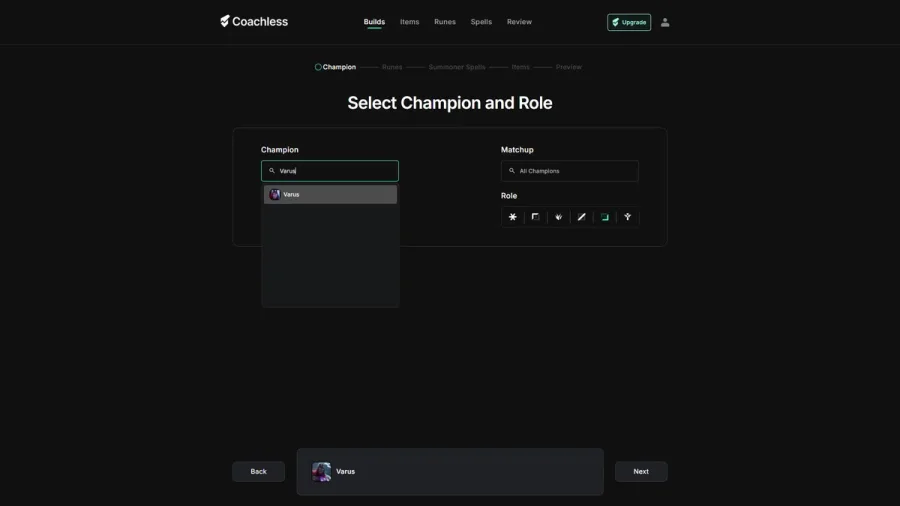
1. Champion selection screenTop page > Builds > Champion, search for "Varus" (don't forget to select the role)
When you select a champion, you can first see the rune statistics.
If you select Precision, you can see that Varus has two types: "Press the Attack" and "Lethal Tempo."
There are two values written for Press the Attack.
1.90
47,756
The "1.90" above is "Win Probability Added (WPA)".
Literally translated, it might be "win rate contribution."
This indicates that "by selecting Press the Attack, Varus's win rate increased by 1.90% compared to the average." Since it represents win rate, the higher the number, the stronger it can be said to be.
The "47,756" below is the number of times used.
Furthermore, if you select Press the Attack, the values for the runes below will also change.
If you select Press the Attack,
Triumph
Legend: Alacrity
Last Stand
shows a higher win rate.
(The difference between Last Stand and Cut Down might be negligible.)
Now, how does it change if you select Lethal Tempo?
Triumph
Legend: Bloodline
Coup de Grace
is what it changed to.
Because the keystone changed,
we can infer that for Press the Attack, Alacrity is better to compensate for the lack of AS,
while for Lethal Tempo, Bloodline has a higher win rate because AS is already sufficient,
which is how the win rates shifted.
(There are options with high WPA like Legend: Haste, but since grayed-out runes likely represent outliers with small sample sizes, they are difficult to use as a reference.)
In this way, the greatest feature of "Coachless.gg" is that it tells you how much the win rates of runes and items change in specific situations.
It's quite fun just clicking around the site and watching the numbers change.
Next, I have proceeded to the item selection screen.
Here you can check the selection of the first item.
From the left of each item row,
WPA
Frequency
Baseline & Outcome
It says. The important parts are "WPA" and "Baseline & Outcome".
As explained earlier, WPA represents the "increase or decrease in win rate under specific conditions." In other words, it shows that purchasing "Hubris" as the 1st core item increases Varus's win rate by 2.68%.
Baseline & Outcome includes "Pre-Buy WP" and "Win Rate."
Pre-Buy WP is the "win rate immediately before purchasing that item."
In other words, while the average win rate before purchasing Hubris was 48.6%, you can see that purchasing this item increased the final game win rate to 51.3%.
Items with a low Pre-Buy WP and a high Win Rate can be considered item choices with enough power to turn around a losing situation.
Conversely, items with a high Pre-Buy WP are items that are often purchased when you are already winning.
For reference, if you look at the statistics for Caitlyn's first purchased item,
Cull's Pre-Buy WP is low at 47.1%, meaning it is often bought in losing situations, and
B.F. Sword is at 54.4%, showing it is often bought in winning situations.
In summary,
High WPA
Low Pre-Buy WP
High Win Rate
(and a large sample size)
You can see that these kinds of items are strong items.
(By the way, since the values for each item do not change even if you change runes or other settings on the previous page, it seems that an independent analysis of items only is being performed. This value is not appearing because of Lethal Tempo)
Evaluation of items alone
Please try clicking the "double arrow mark" on the right of each item row.
On the left side of the screen, you will find the WPA for material items.
Scene: 1.20%
Kindlegem: 2.65%
Blasting Wand: 1.29%
Dagger: 1.94%
Higher values indicate a greater impact on win rate, so it is recommended to purchase them in descending order.
(However, since this screen does not reflect the influence of variables such as champions, it is best to treat these as reference only.)
On the top right of the screen, you can see champion icons and their WPA.
Champions with higher compatibility for the item are positioned further to the left.
Clicking on an icon allows you to check the WPA when the selected champion faces an enemy champion.
In the image above, you can see that 'Varus purchasing Duskblade and Eclipse increased his win rate against Ashe by 5.42% compared to the average.'
In the middle right of the screen, you can check 'WPA by [Category]'.
For example, 'Enemy Damage' shows the change in win rate against the enemy's damage type. This is useful when looking at tank items.
Let's try looking at the physical defense item 'Frozen Heart'.
The WPA by Enemy Damage is:
Physical: 1.37%
Mixed: 0.73%
Magic (Magic Damage): 0.24%
This shows that performance against physical damage is reflected in the win rate.
In the "WPA by Purchase Slot" graph at the bottom right of the screen,
Horizontal axis: Purchase slot (1st, 2nd, 3rd...) = which number it was purchased
Vertical axis: WPA (%)
Frequency (number below the bar): The number of times it was purchased in that slot. Sample size
are shown.
It can be seen that "Dusk and Dawn" in the image above is best purchased as a 1st item.
Points to note when viewing the site
Although it is a very interesting site, there are points to keep in mind when looking at the statistics.
By checking "Filters" at the top right of the screen, you can confirm which patch data is being referenced.
You can see more data on this site by paying, but free users cannot check the latest patch data.
Therefore, caution is required when looking at items whose performance has changed due to buffs or nerfs.
The current latest patch is 16.3, but the item "Dusk and Dawn" referenced in this article has been nerfed, and the data shown differs from the current situation.
By the way, if you pay, you can register your Riot account and see even more interesting data, such as how much the items you purchased changed your win rate for each match.
That is all.