Have you ever wanted to see Google floating in space? The Google Space Trick: Zero-Gravity Google, Explained guide explores a fun Google-inspired browser experiment that makes search page elements float and move as if gravity has disappeared.
This effect is entertaining for technology enthusiasts, bloggers, students, and anyone who enjoys discovering hidden internet tricks.
What Is the Google Space Trick?
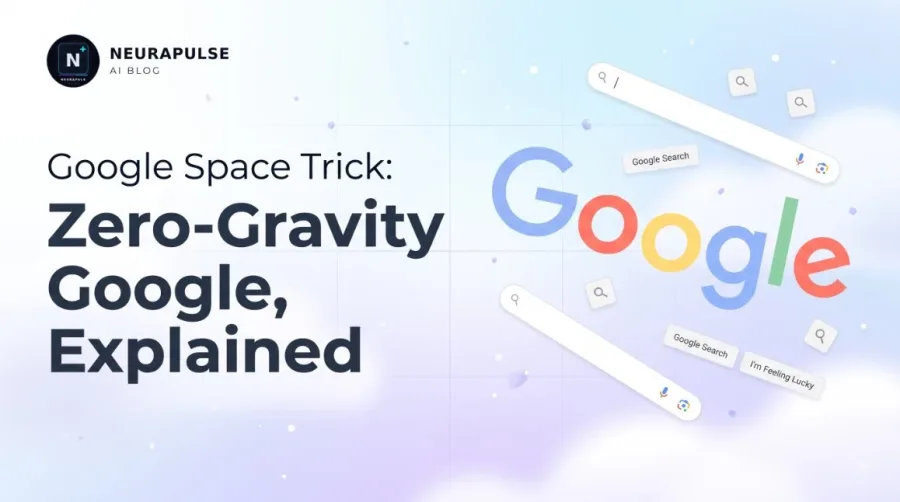
The Google Space trick is a zero-gravity-style web experiment inspired by Google's familiar search interface. In versions of this experiment, elements such as the logo, search box, and buttons can float around the screen instead of remaining in their usual positions.
It is important to note that Google Space is generally associated with third-party recreations rather than a permanent, official Google Search feature. Its availability and behavior depend on the website hosting the experiment.
How to Try the Google Space Trick
Follow these simple steps:
Open your preferred web browser.
Search for Google Space zero gravity.
Find a reputable website offering the experiment.
Open the page and follow its instructions.
Move your mouse or interact with the floating elements if supported.
You usually don't need special hardware. Avoid downloading unknown files or granting unnecessary permissions to experience a browser animation.
How Does Zero Gravity Work on a Web Page?
Developers can create floating effects using JavaScript, CSS animations, and physics simulations. These technologies allow page elements to move, collide, rotate, and respond to user input.
A zero-gravity experiment may simulate weightlessness by continuously changing the position and movement of different elements. The exact behavior depends on how the developer built the page.
Other Google Easter Eggs to Explore
Google Easter Eggs 2026 is a useful topic for discovering entertaining search features, interactive games, and hidden browser surprises. Popular examples include Do a Barrel Roll, Askew, virtual dice, and nostalgic Google-inspired experiences.
Some older experiments may no longer be available in their original form, so check whether a particular feature still works before following a tutorial.
Can AI Help You Discover More Technology Tricks?
AI assistants can help explain browser experiments, generate JavaScript examples, and guide beginners through simple web development projects.
For example, an Anthropic Prompt Generator can help you create structured prompts for Claude to explain code, build a basic floating animation, or troubleshoot a website. Always test generated code before using it on a live website.
AI can make learning easier, but clear instructions and human review remain important for accurate results.
Frequently Asked Questions
Is Google Space an official Google feature?The zero-gravity experience is generally associated with third-party experiments and recreations, not a permanent feature of the standard Google Search homepage.
Can I try Google Space on mobile?Some recreations may work on mobile browsers, although the experience can vary depending on the device and website.
Do I need to install anything?Most browser-based experiments do not require installation. Use reputable websites and avoid unnecessary downloads.
Is Google Space the same as Google Gravity?No. Google Gravity-style experiments generally make elements fall downward, while zero-gravity experiments aim to make elements float or drift around the screen.
Final Thoughts
The Google Space trick is a fun example of how web technologies can transform a familiar search interface into an interactive experience. By exploring zero-gravity effects, other Google-inspired experiments, and AI-assisted coding, you can discover new ways to learn about technology.
NeuraPulseAi shares practical guides on AI tools, prompt engineering, SEO, automation, and emerging technologies to help readers explore the digital world.