Hello everyone. This is attalalog, delivering things you'll be glad you found.
This may be sudden, but have you ever felt like you made a mistake on a big purchase?
Actually, I recently bought the latest M5 MacBook Air, but believe it or not, I ended up returning it after just two weeks.
The reason is very simple. For someone like me who edits YouTube videos, my assumption that "16GB of memory would be plenty" was far too optimistic.
The latest M5 MacBook Air comes with 16GB of memory as the standard model, which at first glance seems like sufficient specs. However, I will share, based on my own experience, the "real-world feel of 16GB memory" that you can't see from the numbers on a spec sheet, and the overwhelming difference I realized after agonizing over it and upgrading to "24GB of memory."
I hope this serves as a hint for those who "don't want to have any regrets when choosing a Mac" or "want to know the perfect specs for themselves."
Why I upgraded from M3 to M5
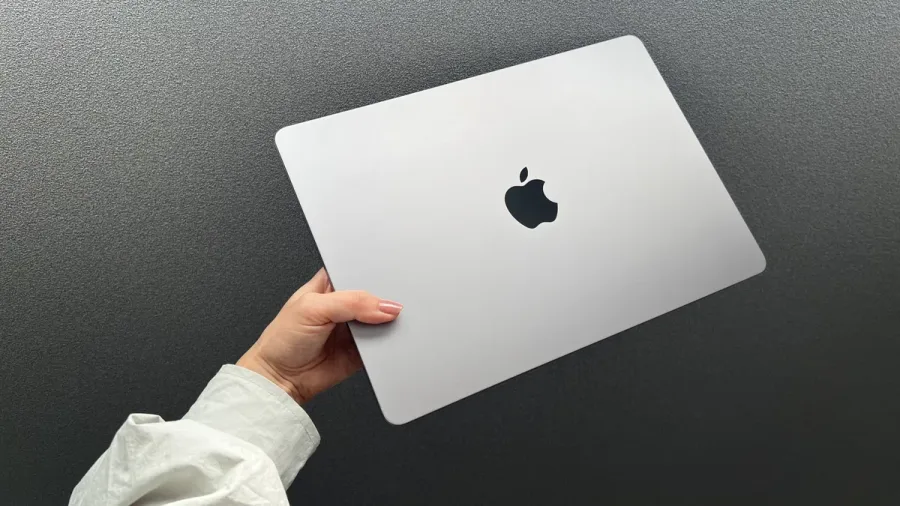
To begin with, why did I decide to switch to the new M5 model from my M3 MacBook Air (16GB memory / 256GB storage), which I had been using for two years without any major complaints? The number one reason was "insufficient internal storage capacity."
With recent Macs, partly because they are equipped with AI features (Apple Intelligence), the OS and system data alone occupy a significant amount of space. In the case of the 256GB model, nearly a quarter of the total capacity is filled with system data. With this, there was no physical room to handle heavy video data.
Until now, I had been keeping video materials on an external SSD to compensate for the shortage. However, when I started editing 4K videos, it was a minor stress that the performance would inevitably stutter.
When I looked into it, it turned out that the transfer speed of the external SSD I was using wasmore than 10 times slowerthan the MacBook Air's internal SSD. It was like having "the strongest engine (M3 chip) but a narrow road causing a massive traffic jam."
"If I get the 512GB internal storage model, I can put all my materials on the Mac itself. If I do that, the traffic jam will disappear, and I should be able to edit at lightning speed!"
With those expectations growing, I decided to switch to the M5 chip "16GB memory / 512GB storage" model.
The reality of 16GB memory
Stuttering even with an internal SSD that should be lightning fast? The "cramped room" revealed by testingHowever, when I actually started editing on the M5 MacBook Air that arrived, a small sense of discomfort arose in my heart.
Even though I moved my materials to the lightning-fast internal SSD to edit, the preview would stutter, and the audio and video would be a beat behind. The perceived speed was almost no different from when I was using an external SSD with my previous M3.
Feeling that "something was wrong," I decided to spend a few days thoroughly investigating the issue.
First, I ran a test comparing the export times of the exact same video using my previous "external SSD" and the supposedly lightning-fast "internal SSD."
External SSD: 7 minutes 19 seconds
Internal SSD (built-in): 7 minutes 13 seconds
The result was a difference of only "6 seconds." Even though I used a road that was supposed to be 10 times faster, it only saved 6 seconds.
Surprised, I opened the "Activity Monitor," the heart of the Mac, and a cruel reality was displayed there. The graph showing memory load was stained "yellow," indicating a warning.
Out of 16GB of memory, over 13GB was already in use. Furthermore, a phenomenon called "swapping" was occurring, where the SSD was being used as temporary memory to compensate for the lack of RAM. It was a sign that the Mac was working hard and struggling to keep up.
Choosing a modern Mac depends on the "size of your living room"
What I realized here is that the criteria for choosing a MacBook have changed significantly compared to a few years ago.
To use a room analogy, in the past, a 16-tatami mat living room (16GB) was spacious enough to live comfortably. However, today's Mac comes with a large piece of fixed furniture called "AI (Apple Intelligence)" already placed inside. On top of that, we are adding a luxurious sofa—the increasingly multi-functional editing apps—and even trying to spread out a large hobby object called "4K video editing."
The room size (16GB) is the same as before, but because our lifestyle has become richer, it has become cramped. As AI evolves in the future, the room will surely become even smaller.
The trap of the video editing software "DaVinci Resolve"
Another thing my investigation revealed was the impact of the video editing software I use. I am a fan of software called "DaVinci Resolve."
Software like "Final Cut Pro," which is optimized specifically for Mac, runs efficiently even with relatively little memory. On the other hand, because DaVinci Resolve allows for professional-grade, advanced color grading and compositing, it is actually a "resource-hungry" application that consumes a massive amount of memory. It is often said that the recommended spec is 32GB or more, and with 16GB of memory, it is barely enough just to run the software. When you add browser research on top of that, it completely exceeded its capacity.
Convinced of this, I decided to return the 16GB model that had just arrived and repurchase the "24GB memory" model.
About Costco's 90-day return policy
I bought my MacBook at "Costco" this time. The reason is that the M5 model was sold for about 15,000 yen cheaper than at the official Apple Store.
And thankfully, what saved me from this failure of insufficient specs was Costco's unique "90-day return policy."
Normally, the return period at the official Apple Store is "2 weeks (14 days)." That is a duration that passes in the blink of an eye while you are worrying and testing it like I was, wondering, "Is something wrong?" However, at Costco, if it is within 90 days of purchase, you can return it for a refund if you are not satisfied, even after opening and using it extensively.
It was precisely because I had that overwhelming sense of security—knowing that "I can redo this expensive purchase if I fail"—that I found the courage to buy the specs I truly needed.
The actual return process was also surprisingly smart and simple.
Initialize the MacBook and pack it into the box with the accessories.
Go to the store's return counter with the receipt from the purchase and your membership card.
When asked for the reason, honestly state, "The specs weren't enough for video editing."
In my case, there was no detailed inspection of the unit itself, and the process was completed in less than 10 minutes with just a verbal confirmation. I was refunded the full amount in cash on the spot (if you pay by credit card, the charge will go through once, but it will be refunded via the card at a later date).
Because it is an expensive purchase, I felt firsthand that this peace of mind—knowing it's okay even if you make a mistake—is a major privilege unique to Costco.
Two points to note when buying a Mac at Costco
However, there are also the following points to note when purchasing a MacBook at Costco.
The keyboard is "JIS (Japanese) layout" only (you cannot choose US layout, etc.)
You cannot perform detailed customization of memory or storage (you must choose from in-store or online stock models)
If you go through the official Apple store, you can choose a "24GB memory / 512GB storage" combination, but if you try to choose 24GB of memory at Costco, it automatically defaults to the higher-end "1TB storage" model.
However, the price on Costco Online was 226,800 yen. Since I was able to purchase it for about 18,000 yen less than the official Apple price, I didn't hesitate to reorder this "24GB memory / 1TB storage" model.
The comfort of 24GB memory
Export time reduced by 1 minute! The power of "headroom" that makes even browser tasks lightning fastI immediately performed a revenge test with the new 24GB memory MacBook Air that arrived at my home two days after ordering.
When I exported the exact same video project, I got the following surprising results.
M5 (16GB memory): 7 minutes 13 seconds
M5 (24GB memory): 6 minutes 16 seconds
Surprisingly, the export time was reduced by about 1 minute.
Furthermore, when I checked the Activity Monitor, the meter showing memory load was consistently in the reassuring "green" zone. The swap usage was also "0GB," meaning it was running with plenty of headroom.
The stuttering in previews and audio lag that I struggled with on the 16GB model have completely disappeared, and it moves smoothly across the timeline. I couldn't help but feel happy, thinking, "This is it! This is the comfort I was looking for!"
Browser and cloud apps are where more memory really shines
Another thing that surprised me was the comfort of cloud apps that run in the browser, such as "Canva." I thought that since the work is done via the internet, the computer's performance wouldn't matter, but I was very wrong.
With 24GB of memory, images load instantly the moment you click. When I tested a task that involves loading a large number of images at once, a process that took about 50 seconds on 16GB of memory took only 20 seconds on 24GB of memory. I realized that it is precisely for browser-based work that having more memory directly leads to a more pleasant experience.
Even if I run a video export in the background while writing a blog post or creating a YouTube thumbnail in Canva, the screen doesn't lag at all. If you are serious about enjoying creative work and your daily tasks, I would recommend 24GB of memory without hesitation.
For those struggling with choosing specs
24GB isn't necessary for everyone. How to choose "smart cost-performance" based on your usageI have shared the wonders of 24GB of memory so far, but that doesn't mean "everyone needs 24GB."
You want to make daily vlogs at a leisurely pace as a hobby once a week
Your main work is writing text for blogs or notes
You want to use AI tools like ChatGPT in your browser occasionally
For these types of usage, 16GB of memory will work comfortably enough.
In fact, even with an M3 chip 16GB model, you can easily handle multitasking, such as opening about 15 browser tabs at once, playing a video, and researching on ChatGPT. There is absolutely no perceptible difference in typing response speed or page switching speed (as these depend more on internet connection speed than PC performance).
Therefore, for those whose work is centered on office tasks or text-based work, I think it is overwhelmingly more cost-effective to buy an M2–M4 chip 16GB model used or as an "Apple Certified Refurbished Product" rather than insisting on the latest M5.
However, if you are torn between "increasing memory or increasing storage" at the time of purchase, I strongly recommend increasing the memory.
Storage can always be added later with an external SSD or cloud, but memory is the only thing that cannot be upgraded after purchase. For those like me who do color correction in DaVinci or launch multiple creative software programs at the same time, splurging a little to get 24GB of memory—which cannot be increased later—should serve as a valuable charm to ensure you can keep using your Mac with a smile 3 or 5 years from now.
Summary
"Specs one step ahead" tailored to your current self will create free timeIn this post, I shared my story of 'failure' when upgrading from 16GB to 24GB of memory, and the realistic user experience that became clear as a result.
Of course, the M3 (16GB memory) MacBook is still a truly well-balanced and excellent machine that will serve many people perfectly well today. What matters is not the numbers on the spec sheet, but the excitement of imagining what kind of new scenery you will add to your life using that Mac.
The 16GB 'living space' that was once sufficient can sometimes feel a bit cramped as new 'furniture' like AI is added or as you expand into big hobbies like 4K video editing.
If you feel a little bit of frustration with your current work environment, moving to a more spacious room (higher specs)—even if the 'rent' is a bit higher—is a wonderful option to make the next few years of your creative time more free and comfortable. I hope my story of failure and my follow-up verification will be even a little bit helpful in choosing your own important machine.
Next time, I will introduce the 'carefully selected peripherals' that are essential to my life and will make working on this new MacBook Air 10 times more comfortable.